EasyManua.ls Logo

SILENT KNIGHT SK-5208 - User Manual

SILENT KNIGHT SK-5208
118 pages
Print Icon
To Next Page IconTo Next Page
Loading...
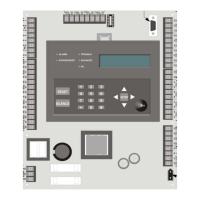
Installation and
Operations Manual
Fire Control/
Part Number 151204 Rev L
Communicator
MODEL SK-5208

Table of Contents

Questions and Answers

  • D
    Dorothy MendozaJul 29, 2025
    What does FLASH Defaulted mean on SILENT KNIGHT SK-5208?
    • D
      Daniel FloresJul 29, 2025
      If the SILENT KNIGHT Controller displays 'FLASH Defaulted', it means an option record was not found during power up, so one was created. The display will indicate "Flash Defaulted" for about one second.
  • L
    Leonard NguyenAug 3, 2025
    What to do if SILENT KNIGHT SK-5208 Controller shows Battery Trb?
    • C
      Christina BarberAug 3, 2025
      If the SILENT KNIGHT Controller displays 'Battery Trb', start by checking the battery connection. Also, make sure the control panel is receiving AC power.
  • M
    Mrs. Heather FergusonAug 7, 2025
    What to do if my SILENT KNIGHT Controller displays AC Trb?
    • T
      turnerkurtAug 7, 2025
      If the SILENT KNIGHT Controller displays 'AC Trb', check the AC power connection to the control panel.
  • K
    Karen AyalaAug 12, 2025
    How to troubleshoot NAC # Trb on SILENT KNIGHT SK-5208 Controller?
    • D
      Daniel WestAug 12, 2025
      If the SILENT KNIGHT Controller shows 'NAC # Trb', it indicates a trouble condition on a Notification Appliance Circuit. Check the indicated NAC wire run for any shorts or opens.
  • E
    elizabeth86Aug 16, 2025
    Why does my SILENT KNIGHT Controller show Smk Pwr Trb?
    • A
      Amanda BenitezAug 16, 2025
      If the SILENT KNIGHT Controller displays 'Smk Pwr Trb', it may be due to exceeding the maximum current draw for the initiation circuit. Refer to Section 3.11 for initiation circuit current requirements.
  • J
    Jon HuertaAug 20, 2025
    What causes Aux Pwr Trb on SILENT KNIGHT SK-5208?
    • J
      Jessica SinghAug 20, 2025
      If the SILENT KNIGHT Controller displays 'Aux Pwr Trb', this can occur if the maximum current rating (1Amp) for this circuit is exceeded.
  • D
    Daniel BrownAug 25, 2025
    How to fix 5217 Trb # on SILENT KNIGHT Controller?
    • T
      Tyler LopezAug 25, 2025
      If the SILENT KNIGHT Controller displays '5217 Trb #', check all wire connections between the control panel and the 5217 expander in trouble.

Summary

Section 1 Introduction

Model SK-5208 Features

Key features and capabilities of the SK-5208 fire alarm control panel.

About This Manual

Information about the manual's structure, purpose, and how to use it.

Limitations of Fire Alarm Systems

Explains the inherent limitations and potential failure points of fire alarm systems.

Section 2 Agency Listings and Requirements

Federal Communications Commission (FCC)

Details FCC compliance requirements and information for the SK-5208.

Underwriters Laboratories (UL)

Outlines UL listing requirements and recommendations for various installation types.

Section 3 Control Panel Installation

Electrical and Environmental Specifications

Covers electrical parameters, environmental conditions, and mounting guidelines for the control panel.

Wiring and Terminal Descriptions

Details proper wiring practices, terminal strip functions, and connections.

Control Panel Components and Mounting

Identifies control board components and provides instructions for mounting the SK-5208.

Current Draw Calculations and Battery Requirements

Steps for calculating system current draw and selecting appropriate backup batteries.

AC Wiring and Backup Batteries

Instructions for connecting AC power and installing backup batteries.

Detector and Notification Appliance Installation

Covers installation procedures for detectors and supervised notification appliance circuits.

Auxiliary Relays and Accessory Devices

Describes auxiliary relays and installation of accessory devices like annunciators and expanders.

Special Applications

Details specific application modules like Direct Connect for city box or polarity reversal.

Section 4 Programming

Keypad Operation and Programming Flow

Explains keypad usage, menu navigation, and programming flow for system configuration.

Programming Options Overview

Lists and describes various programmable options for system setup and configuration.

Section 5 Operation

Installer, User Keys, and Basic Operations

Covers key operations, touchpad/annunciator use, and acknowledging events.

LED Indicators and Releasing Operation

Explains LED meanings and details cross alarm/double interlock releasing system operations.

Smoke Alarm Verification and System Testing

Details smoke alarm verification cycle and procedures for fire drills, walk tests, and self-tests.

Communicating with a Programming Computer

Outlines methods for connecting and communicating with a computer for programming and data transfer.

Section 6 Reporting

Reporting Formats and Codes

Describes communication formats and event codes used for central station reporting.

Section 7 Troubleshooting

System Error Messages

Lists common error messages, their descriptions, and potential solutions for system issues.

Earth Fault Troubleshooting

Provides procedures for diagnosing and resolving earth ground fault conditions and resistance.

Appendix A Compatible Devices

Notification Appliances

Lists compatible notification appliances, including audio and visual synchronization capabilities.

Smoke Detectors

Lists compatible two-wire and four-wire smoke detectors and their specifications.

Silent Knight Fire Product Warranty and Return Policy

Warranty Terms and Repair Procedures

Outlines general warranty terms, conditions, and the process for product returns and repairs.

Limited Warranty Details

Specifies the warranty period, limitations, and exclusions for Silent Knight products.

SILENT KNIGHT SK-5208 Specifications

General IconGeneral
BrandSILENT KNIGHT
ModelSK-5208
CategoryController
LanguageEnglish