Osiris-Jaegar – Installer Guide
Appendix 7 – Using SSUtility
SSUtility is a camera control application
supplied by Silent Sentinel which allows
you to operate multiple cameras that use a
variety of control protocols. This section is
intended to provide a brief overview to the
operation of SSUtility. For details of
installation and configuration, please see
the SSUtility Quick Guide.
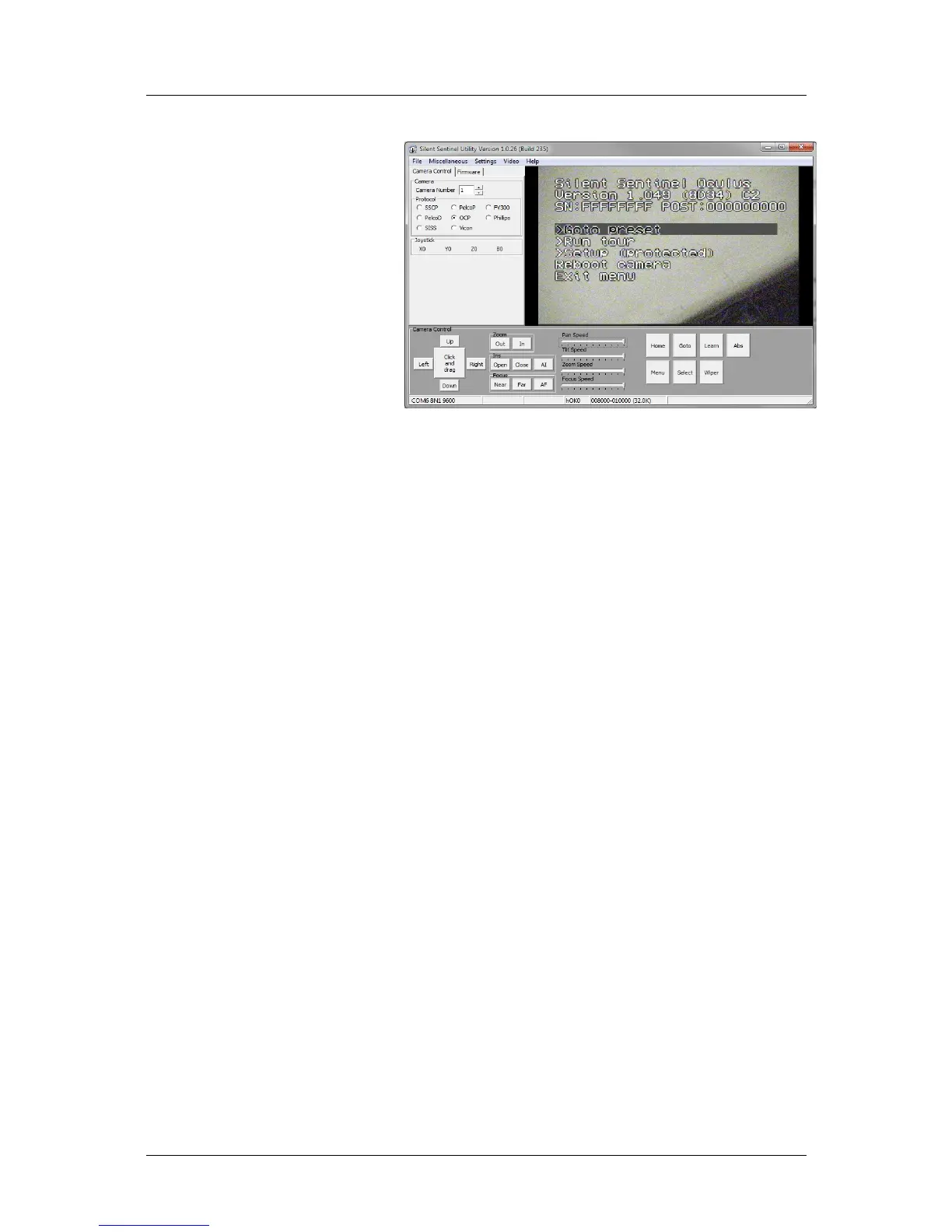
In operation, SSUtility provides a logical
layout with the camera video window in the
top right section, the camera
comms/protocol settings in the top left
corner and the control options at the base
of the window:
Once you have chosen the correct COM port settings (within the Settings menu), Camera Number and
Protocol, you should have control of the camera.
The items in the lower section control the camera in two main ways:
The Up/Down/Left/Right and Zoom buttons usually control camera movement and zoom, however,
When the camera menu is invoked, the Up/Down/Left/Right and Zoom buttons control the menu navigation
and selection.
Using SSUtility to access and control the main camera menu
1 Click the Menu button in the lower section.
Control the on screen highlight bar as follows:
Use Up / Down to move the bar to the required menu item.
Use Zoom In to select a highlighted item.
Use Zoom Out (or Menu) to exit from an item or (at the top menu level), exit the menu.
Use Right and Left to increase or decrease a highlighted value, respectively.
Using SSUtility to access the Quick Menu
Oculus cameras include a quick menu that allows you to configure the most commonly used items without
gaining access to all of the items within the Setup section of the main menu. Note: The quick menu can be
disabled within the main menu, which will deny access using this method.
1 Click the Goto button.
2 Enter 198 in the popup dialog and click OK.
To create a new preset using SSUtility
1 Place the camera into the required pan/tilt/zoom position.
2 Click the Learn button.
3 Enter the number of the preset (between 1 and 128) to be used to store this position and click OK.
Silent Sentinel SilSen DN145003 - 1.2b (Fork)
21


 To Next Page
 Loading...