52 GB/IE
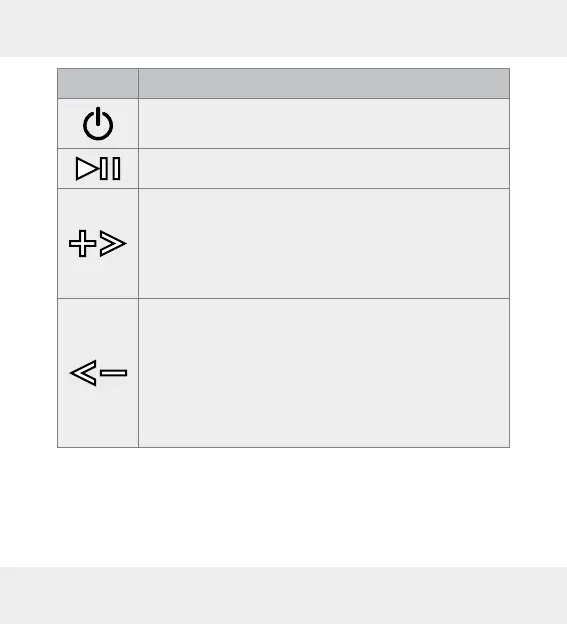
Button Function
– Press and hold to switch the device on / off.
– Press once to play / stop music playback.
– Press once to increase the volume by one level.
One signal tones will sound when the maximum
volume has been reached.
– Press and hold approx. 2 seconds to skip to the
next track.
– Press once to reduce the volume by one level.
– One signal tone will sound when the minimum
volume has been reached.
– During playback, press and hold approx. 2 sec-
onds to skip back to the beginning of current title.
– Repeatedly press and hold approx. 2 seconds to
jump to the previous track.













 To Next Page