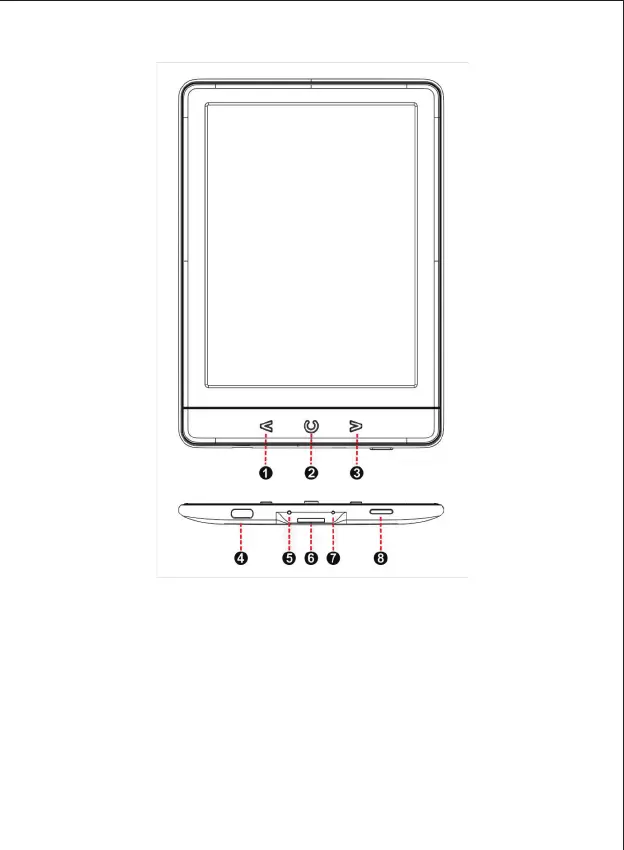
1. Description and Definition of Buttons, Indicator and Connectors
1.1 [LEFT] Button press to get to Previous Page when reading
1.2 [HOME] Button press to get into Main Interface Page
1.3 [RIGHT] Button press to get to Next Page when reading
1.4 [USB ] USB Type C connector for charging and data interface
1.5 [LED LIGHT] Red LED light turns on when charging and turns into Green when battery has
been fully charged
1.6 [SD SLOT] Micro SD Card Reader Slot for putting and reading SD card



 To Next Page