3
________________________________________________________________________________
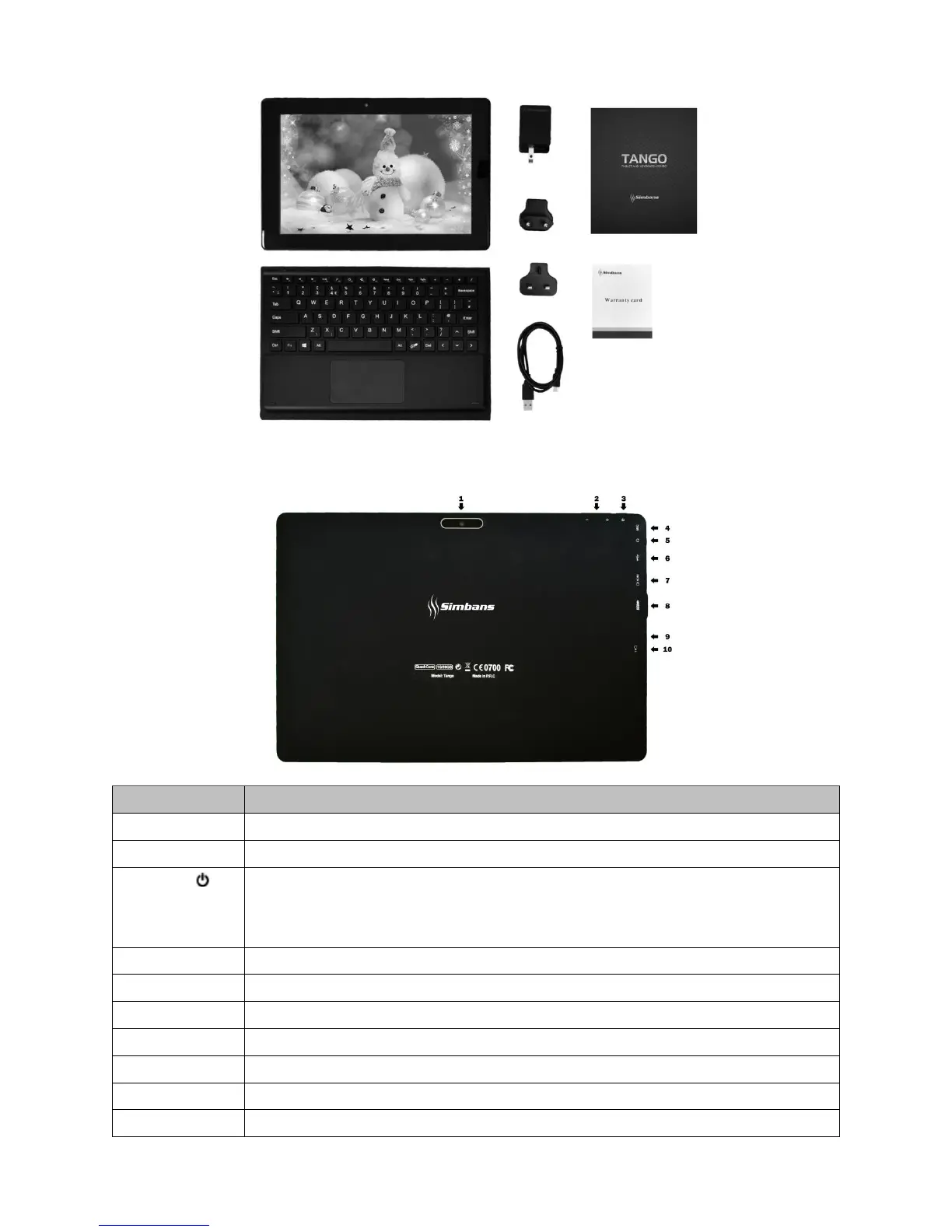
5 Megapixel camera to take photos
Press to increase or decrease the volume
Press and hold the power button for a few seconds to turn on the tablet. To turn off the tablet, press and
hold the power button for a few seconds, and then select Power Off.
When the tablet is on, press the power button once to lock/ unlock the screen.
Built-in microphone captures sound and voice when it is used with an application capable of handling audio.
Slot for earphones plug-in
Connect your tablet to computer for file/ songs transfer
Connect your tablet to laptop or TV with HDMI cable
Connect your tablet to computer for file/ songs transfer
A very tiny hole. If your tablet freezes, please use a paperclip to gently press inside this hole to reset.
Slot for MicroSD card expansion (supports up to 32 GB)


 To Next Page