MRMap Development Team 10/01/2009
Programming the Rebroadcast Radios.
This is where all the work was involved and where all the mistakes were made. A portable
radio working directly back to a base radio where both use full CTCSS has always resulted in si-
lent GPS data. Getting it to work through the rebroadcast device needed a lot more work.
The majority of problems are caused by the fact that when the red cross-over cable (it doesn’t
have a proper name) is used then the CTCSS tone programmed into the individual voice chan-
nels is not used on transmit The only way for the rebroadcast to send a tone is for it to be pro-
grammed into the ‘Data CTCSS’ option. This results in the FFSK data again being heard by the
receiving radio as it now carries the correct tone to open to mute gate. Not what we want to hap-
pen.
Note:- You would think Press to talk, PTT, is just press to talk but not in these radios it’s not. So far I count
six different ways in which the radio either handles PTT or can be programmed to handle it. None are the
same as each other and all have differences in operation that make them unique to a specific type of us-
age. The PTT button on the microphone itself is not quite the same as ‘PTT Mic’ as can be programmed
into the rear D-15 connector and when using the RJ45 crossover cable which plugs into the same socket
that the control head does, PTT now automatically becomes ‘PTT Data’ which, again, is not the same as
just clicking the microphone PTT. ‘PTT Ext Data’ which once again can be programmed on the D-15 con-
nector pins is different again and testing every programming combination against every possible PTT
method is what takes up the time on jobs like this. In the end, ‘PTT Ext Data’ is the one needed for this
task but it was the one I wasn’t even going to bother with as it didn’t sound like what I wanted. Turned out I
was wrong yet again!
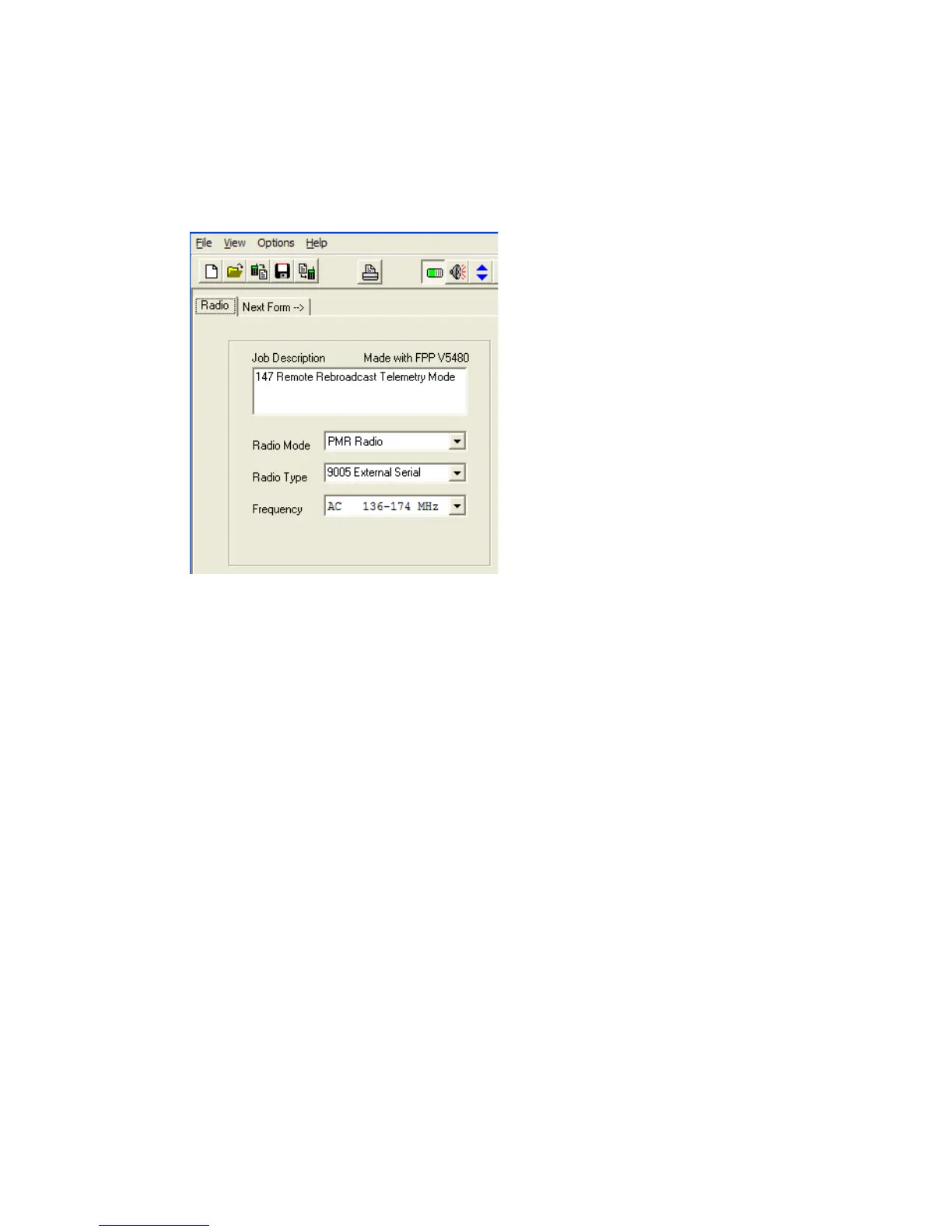
Set the Radio Type to 9005
External Serial


 To Next Page
 Loading...