MRMap Development Team 10/01/2009
What to watch out for and what didn’t work:-
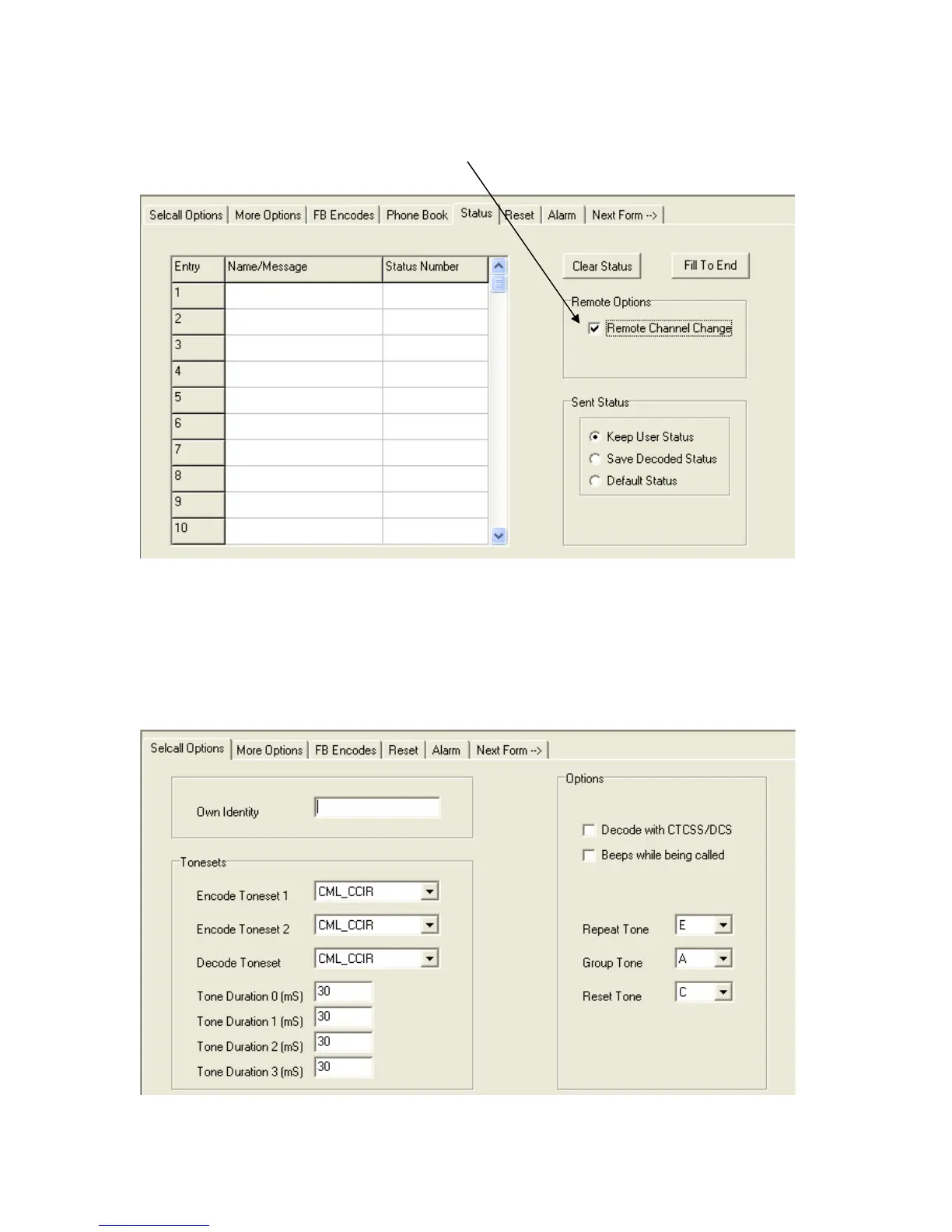
When programming a rebroadcaster for remote channel changing, the ‘Remote Options’
checkbox needs to be checked as shown below.
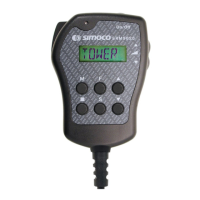
However, if you’ve already set the Radio Type on the first page to, ‘9005 External Serial’ as rec-
ommended then a number of programming options disappear. With no control head, there is no
need to be able to program functions into the keyboard or microphone keys. ‘The Remote Op-
tions’ check box is also hidden. The only way around this is to select a radio type that uses a
control head initially, SRM9030 for example. Check the Remote Options box and then change
the Radio Type back to ‘9005 External Serial’. The Remote Channel Change check box is still
active even though you can no longer see it.
Radio Type - SRM9030 Secall options page
Radio Type - SRM9005 External Serial. Same page


 To Next Page