10
No free sockets on your router?
If so, consult your computer supplier or Simple Audio
retailer. You may need to install a network switch.
Can I use power strips?
We recommend that you do not connect to power strips or
ltered sockets because it may affect the performance of
your system
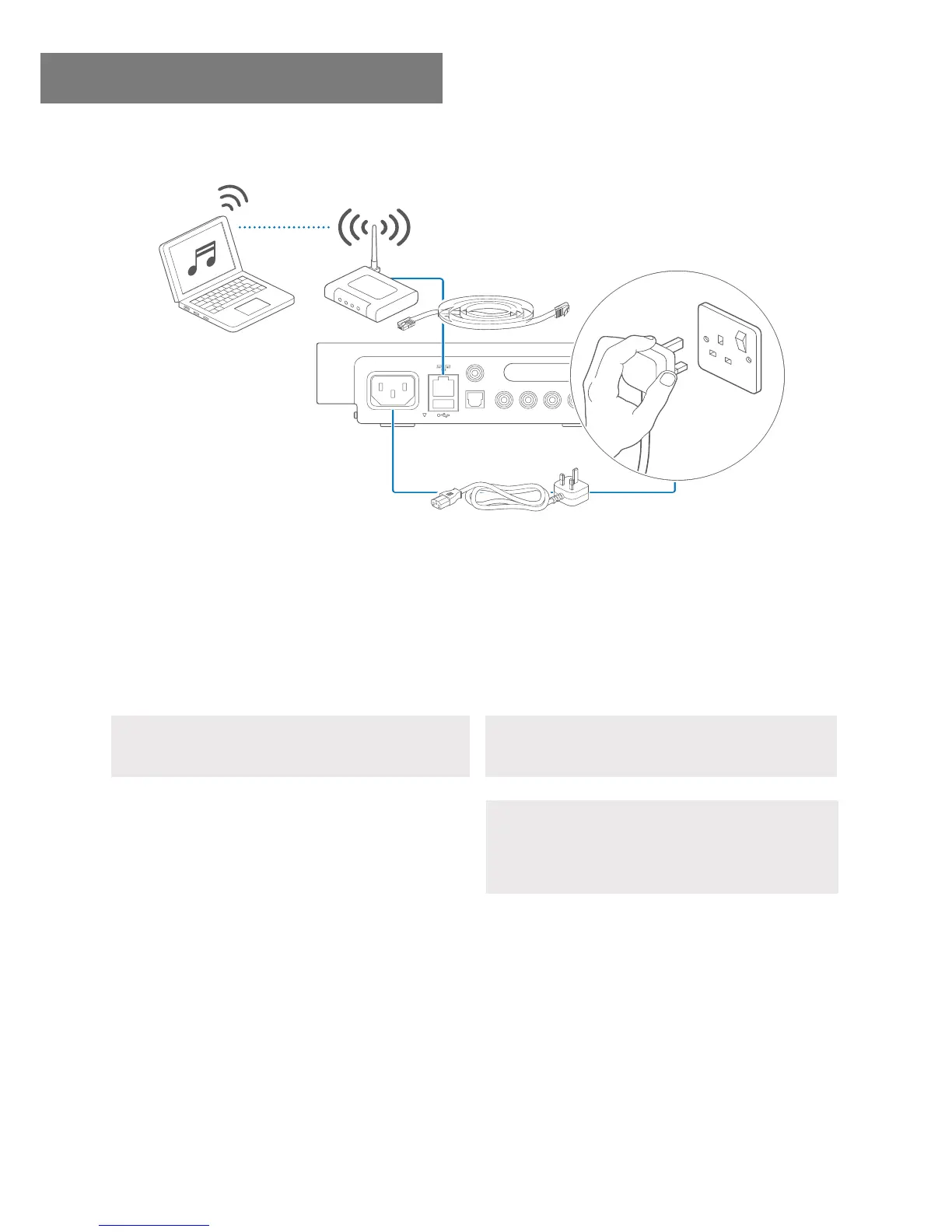
Step 2 Connect to your network.
DIG
OUT
OPT OUT
MAINS IN
SAFETY INFORMATION
SUB
AUDIO INAUDIO OUT
L
Set up your rst Roomplayer
Where is the on/off switch?
There isn’t an on/off switch on your Roomplayer. Your
Roomplayer will start up as soon as you apply mains power.
6
2
You can locate your Roomplayer anywhere in your home,
but where you place it will inuence how you connect to
your network. Choose Option A if your Roomplayer is close
to your router. Choose Option B if your Roomplayer is not
close to your router. Do not apply power until you have
completed step 2.
Option A Connect using an Ethernet cable.
Connect the Roomplayer to your router using the Ethernet
cable provided. Now attach the mains lead to your
Roomplayer and plug it into a wall socket. You can now apply
power. The green activity LED on the rear of your Roomplayer
will icker indicating a network connection has been made.
The front red status LED will go out.



 To Next Page