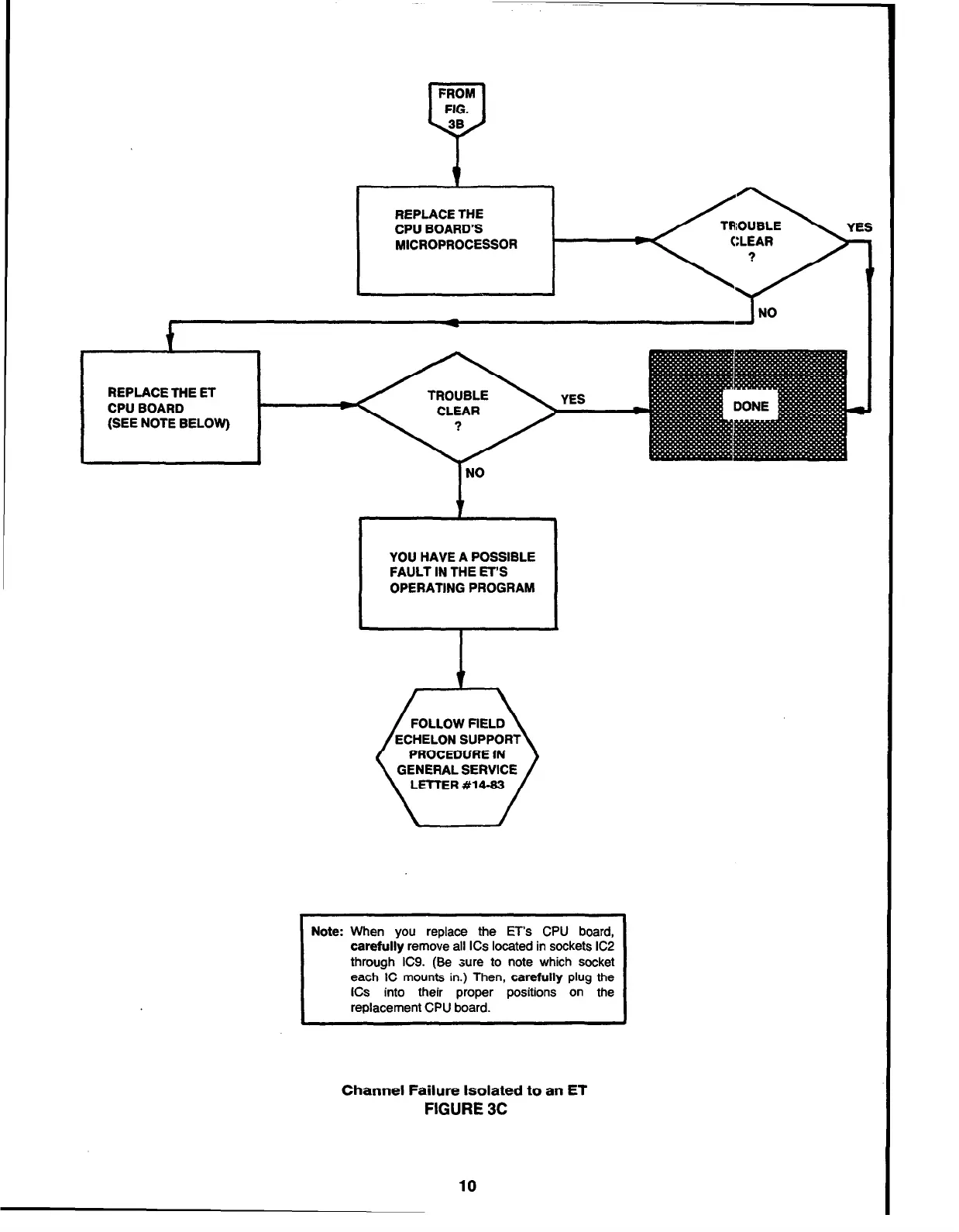
REPLACE THE
CPU BOARD’S
MICROPROCESSOR
REPLACE THE ET
CPU BOARD
(SEE NOTE BELOW)
t
t
YOU HAVE A POSSIBLE
FAULT IN THE ET’S
OPERATING PROGRAM
FOLLOW AELD
ECHELON SUPPORT
PROCEDURE IN
GENERAL SERVICE
LETTER #M-83
Note: When you replace the ET’s CPU board,
carefully remove all ICs located in sockets IC2
through IC9. (Be sure to note which socket
each IC mounts in.) Then, carefully plug the
ICs into their proper positions on the
replacement CPU board.
Channel Failure Isolated
to
an ET
FIGURE 3C
10



 To Next Page