FROM
FIG.
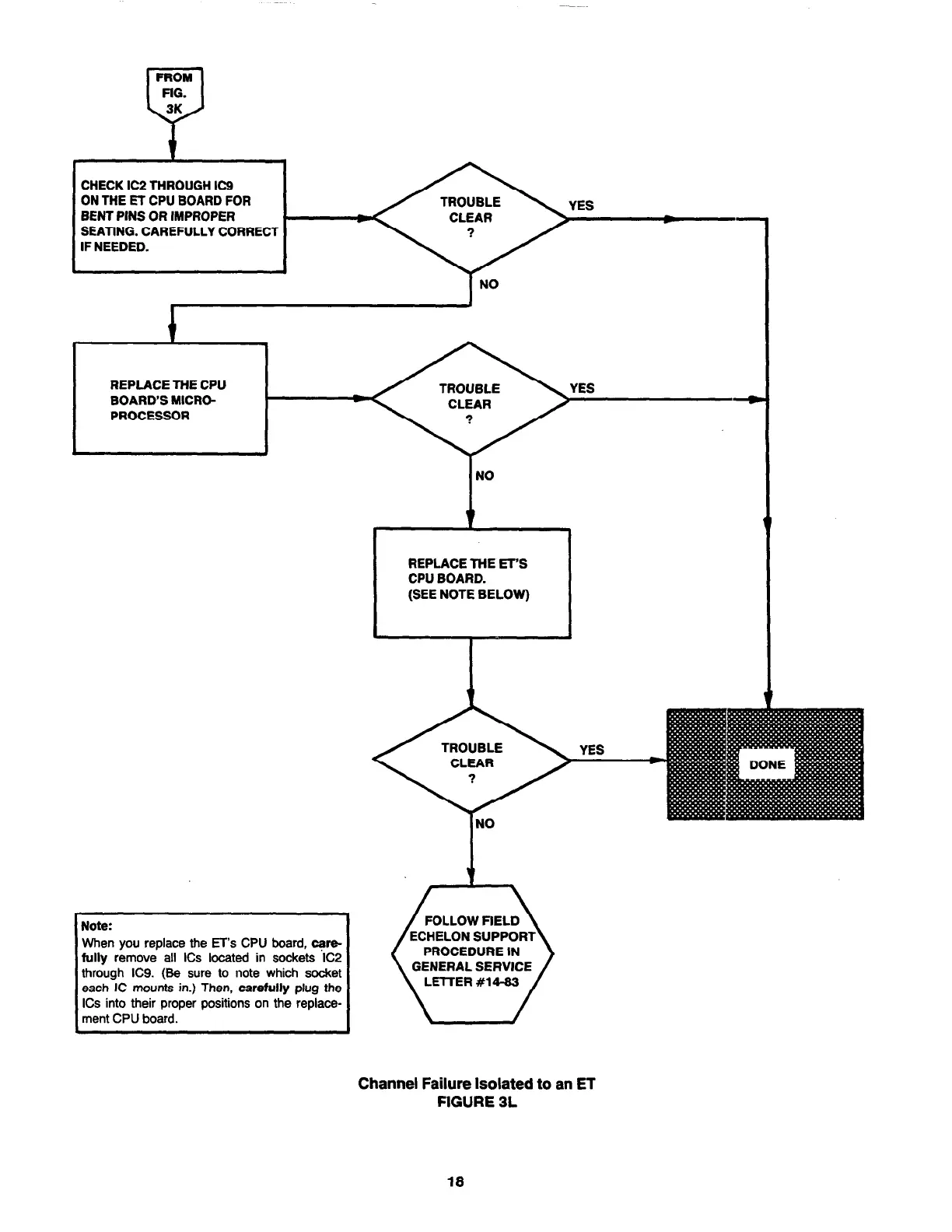
CHECK IC2 THROUGH IC9
ON THE ET CPU BOARD FOR
BENT PINS OR IMPROPER
SEATING. CAREFULLY CORRECT
IF NEEDED.
REPLACE THE CPU
BOARD’S MICRO-
PROCESSOR
REPLACE THE ET’S
CPU BOARD.
(SEE NOTE BELOW)
I
Note:
When you replace the ET’s CPU board, qwe-
fully remove all ICs located in sockets IC2
through IC9. (Be sure to note which socket
each IC mounts in.) Then, carefully plug the
ICs into their proper positions on the replace-
ment CPU board.
FOLLOW FIELD
PROCEDURE IN
GENERAL SERVICE
LETTER #14-83
Channel Failure Isolated to an ET
FIGURE 3L
18



 To Next Page