ET 28V SIGNAL
POWER OPTION BEING
USED (SEE NOTE)
NO
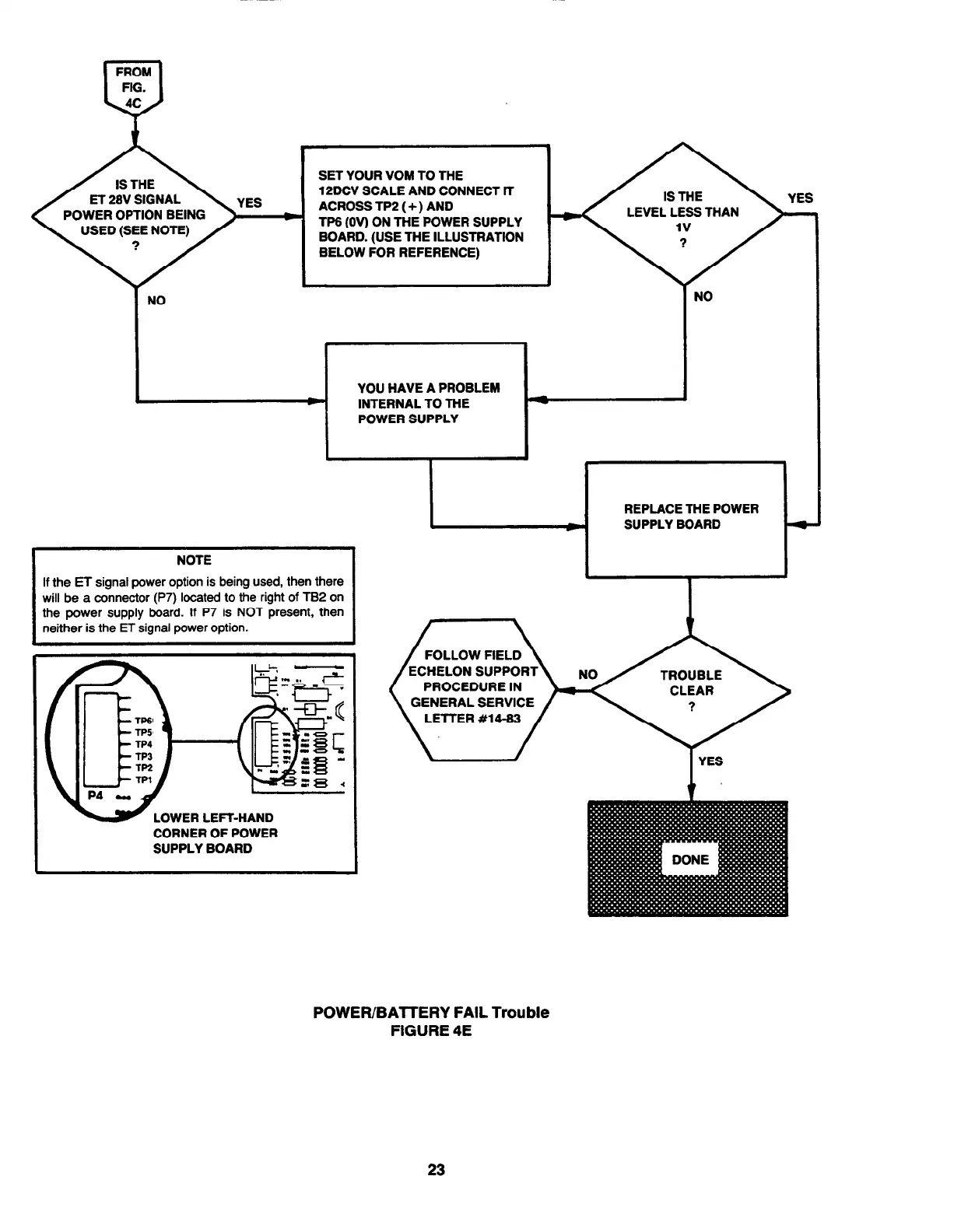
SET YOUR VOM TO THE
12DCV SCALE AND CONNECT IT
ACROSS TP2 (+) AND
TP6 (OV) ON THE POWER SUPPLY
BOARD. (USE THE ILLUSTRATION
BELOW FOR REFERENCE)
YOU HAVE A PROBLEM
INTERNAL TO THE
POWER SUPPLY
LEVEL LESS THAN
I
NO
If the ET signal power option is being used, then there
the power supply board. If P7 is NOT present, then
FOLLOW FIELD
PROCEDURE IN
GENERAL SERVICE
LElTER #14-83
CORNER OF POWER
SUPPLY BOARD
1
/
I
YES
POWER/BATTERY FAIL Trouble
FIGURE 4E
23



 To Next Page