7
Transmitter and Receiver
signal connection
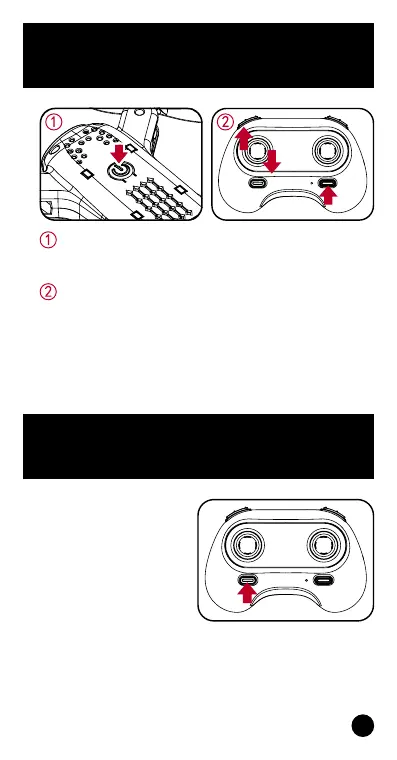
Turn on the drone and place it on a level surface,
the drone’s indicator light should start to slowly
blink, which indicates it’s waiting for pairing.
Switch on the remote controller. When the remote
controller’s indicator light blinks, move the left
joystick upwards and you’ll hear a beep sound. Then
move it downwards and you’ll hear another beep
sound. When both the remote controller’s and
drone’s indicator light appear solid, this will indicate
pairing has been successful.
Press the ‘One Key Start/
Landing’ button as
shown on the right and
the drone’s propellers
will start to rotate.
Begin ying using
‘One Key Start’


 To Next Page