11
Warning:
• Install the crib holder to a sturdy, square piece of furniture. We do not
recommend mounting it on a round object.
• Do not shake the holder. Don’t allow the baby to play with it.
• After installation, test its stability regularly. We will not take responsibili-
ties for any damage or injuries due to inappropriate installation.
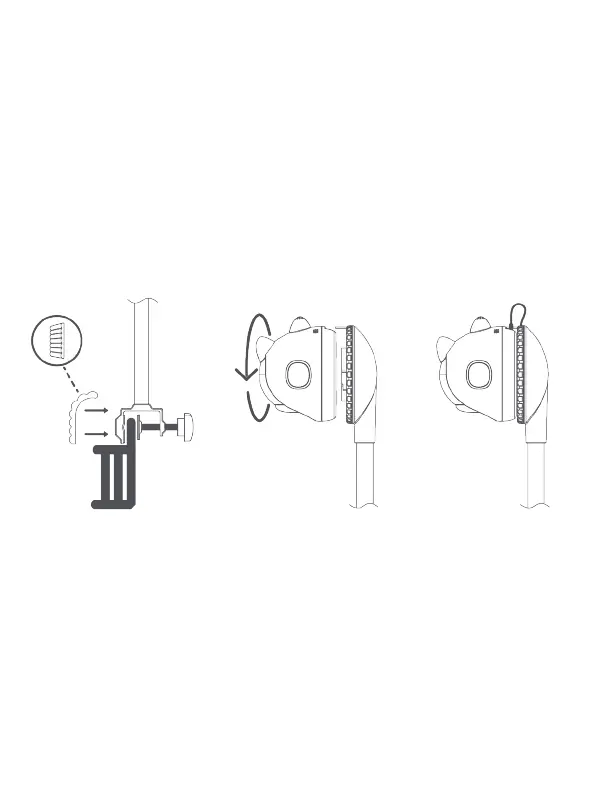
Attach the c-clamp on the holder to the crib and tighten with the
knob. Stick the anti-collision sticker onto the c-clamp.
Align the camera using the notch holes at the base of the
holder and rotate until it snaps in place. Plug the USB power
cable into the camera.
You can extend the holder to your desired height and tighten it
using the knob.



 To Next Page