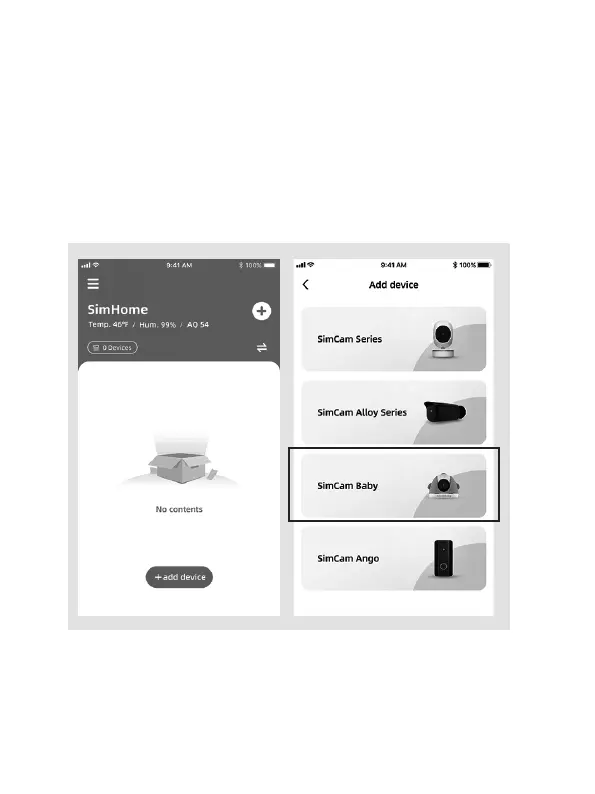
Pair and WiFi setup
1. Sign in to your account.
2. Add a new device to the APP.
3. Select the SimCam Baby as the device.
4. Please follow the in-APP instructions to setup the WiFi.
Tip:
WiFi name and password accepts English characters, symbols and
numbers only. If you want to connect the baby monitor to a new WiFi
network, please press and hold the reset button for more than 5 seconds
to reset the baby monitor.
09



 To Next Page