EasyManua.ls Logo

Singer 328 - Remounting of Pattern Unit

Singer 328
97 pages
Print Icon
To Next Page IconTo Next Page
To Previous Page IconTo Previous Page
Loading...
3-
If a
Scanning
Finget does
not
enter
Punch
Caral
hole, remave
the
Feedlng
side
of the
Pattern
Unit, and remo;e
Screii
(3x14)
anal remove the
Feeding
through
the centre
of
a
Lever Spring,
on
the riqht
one
+
Binding
Head
S
Tioht
Ratchet
Stopper
plate.
Feeding
Lever
.f
Binding Head
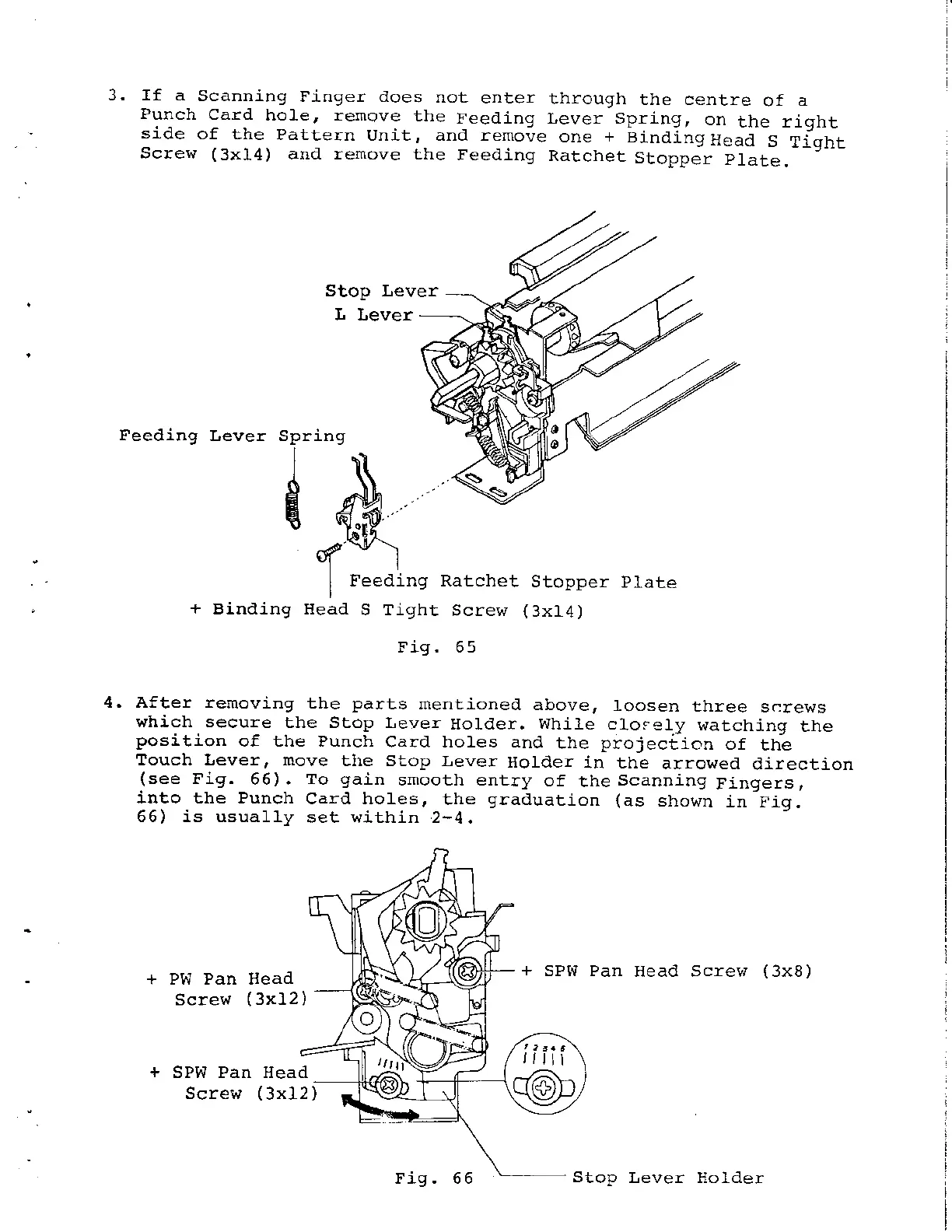
Stop Lever
L Lever
Feeding Ratchet
Stopper
Plate
S Tight
Screw
(
3x14
)
Fig. 65
Sp
d
r1n9
4, After tenoving
the
parts
rnentioneal
above,
loosen
tlrree
scre\.7s
which secure
the Stop Lever
Holder.
While
cl,osely
watching
the
position
of the Punch
Card holes and
the
projeciion
of
the
Touch tever, move
the Stop Lever
Holder
in the
arroweal
direction
(see
Fig.
66).
To
gain
smooth entry
of
the
Scanning
Fingers,
into the Punch
Card holes,
the
graaluation (as
sho!,/n
in-Fig.
66) is usually
set within 2-4.
Pw Pan llead
Sclew
(
3xL2
+
SPW Pan
Head Screw
(3x8)
SPW Pan
Screw
Heaal
(
3xl2
)
Fig.66
Stop
Lever Holder

Related product manuals