Change the needle regularly, especially if it is showing signs of
wear and causing problems. For best sewing results always use
SINGER Brand Needles.
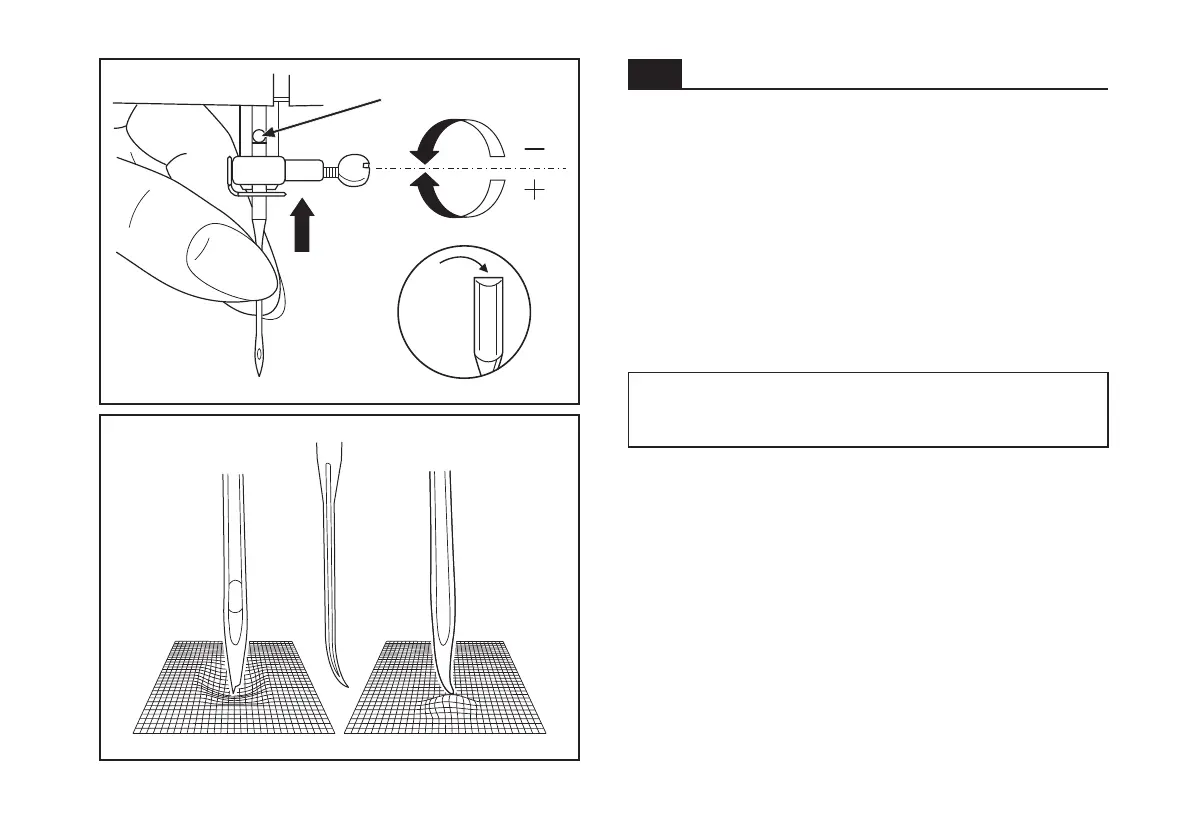
Insert the needle
A. Loosen the needle clamp screw and tighten again after
inserting the new needle. (1)
B. The flat side of the shaft should be towards the back.
C/D. Insert the needle as far up as it will go.
Turn power switch to off ("O") before inserting or removing
the needle.
Needles must be in perfect condition. (2)
Problems can occur with:
A. Bent needles
B. Damaged points
C. Blunt needles
Attention:
as illustrated as follows:
22
Inserting and changing needles
A
C
B
A
B
C
D
GB
1
2



 To Next Page