ENGLISH – 5
FEATURES & ACCESSORIES DESCRIPTIONS
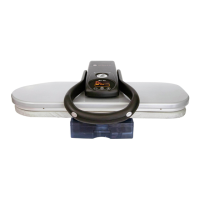
1. Handle – raises and lowers the Pressing Plate. Also used to carry the unit.
2. Locking Knob – locks the Pressing Plate and Ironing Board together.
3. Pressing Plate – large temperature-controlled surface that heats and presses fabric.
4. Ironing Board – padded surface onto which fabric is placed for pressing.
5. Water Tank – holds the water needed to produce steam.
6. Steam Burst Buttons – located on either side of the Handle and produces a burst of steam
when pressed.
7. On/Off Button – activates and deactivates the unit.
8. Temperature Control Button – used to select a desired temperature by cycling through the
list of choices above the buttons. Adjust the Temperature Control until the Indicator Light
beneath your preferred material becomes illuminated.
9. Steam Selector Button – selects Auto Steam “ ” or Man Steam “ ”.
10. Steam Ready Indicator Light – illuminates when unit is ready to produce steam for use.
11. Pressing Indicator Light – illuminates while unit is heating to selected temperature. When
light goes off, Steam Press is ready for use.
12. Wait Indicator Light – illuminates when unit is heating up to selected temperature.
13. Temperature Digits – indicates Pressing Plate surface temperature.
14. Spray Bottle – used to moisten fabric before pressing stubborn wrinkles and heavier
fabrics.
15. Pressing Cushion – fabric covered pad used for pressing gathered or contoured areas
such as sleeves, darts, collars or yokes.


 To Next Page