1. User instructions
Before first use: remove any packaging and protective films, also check for damages.
There are two ways to control the Sinji Hot & Cold Bladeless Fan. You can either use the touch
button (LCD screen) or the remote controller. In the table below you can find the controls and
functions.
Note: For every time a setting is changed, for example “fan speed +1”, the Sinji Hot & Cold
Bladeless Fan will make a single beeping sound. If the limit of a setting is reached it will quickly
beep twice. Unless the sound has been manually turned off.
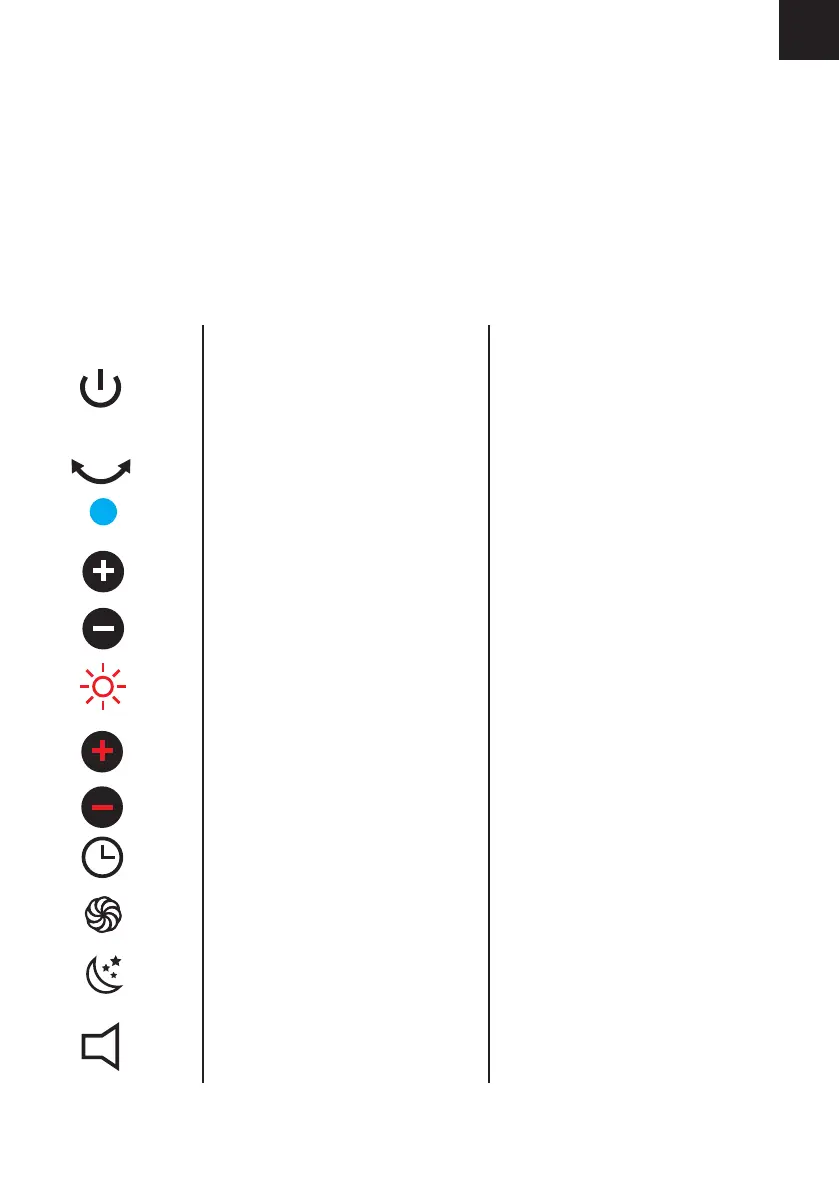
Remote symbol Function
When off: turn on
When on: turn off
Turn on/off swing mode
Switch to cooling mode
Increase fan speed by one
Decrease fan speed by one
Switch to hot mode
Increase hot fan speed and temperature
Decrease hot fan speed and temperature
Increase countdown timer by 1 hour
Max. fan speed
Sleep mode, lowest fan speed
Turn beep sound on/off
LCD
When off: Black
When on: Fan speed (default 5 or
previous speed). Screen turns of after 30
seconds
-
Fan speed. Screen turns of after 30
seconds.
1/2/3/4/5/6/7/8/
8/7/6/5/4/3/2/1
Blinking fan speed. Screen turns of after
30 seconds.
1/2/3
3/2/1
1/2/3/4/5/6/7/8/9/0 (0=off)
H
L
-
1These buttons only work while in fan mode.
2These buttons only work while in hot fan mode.
1
1
1
1
2
2
2
EN


 To Next Page