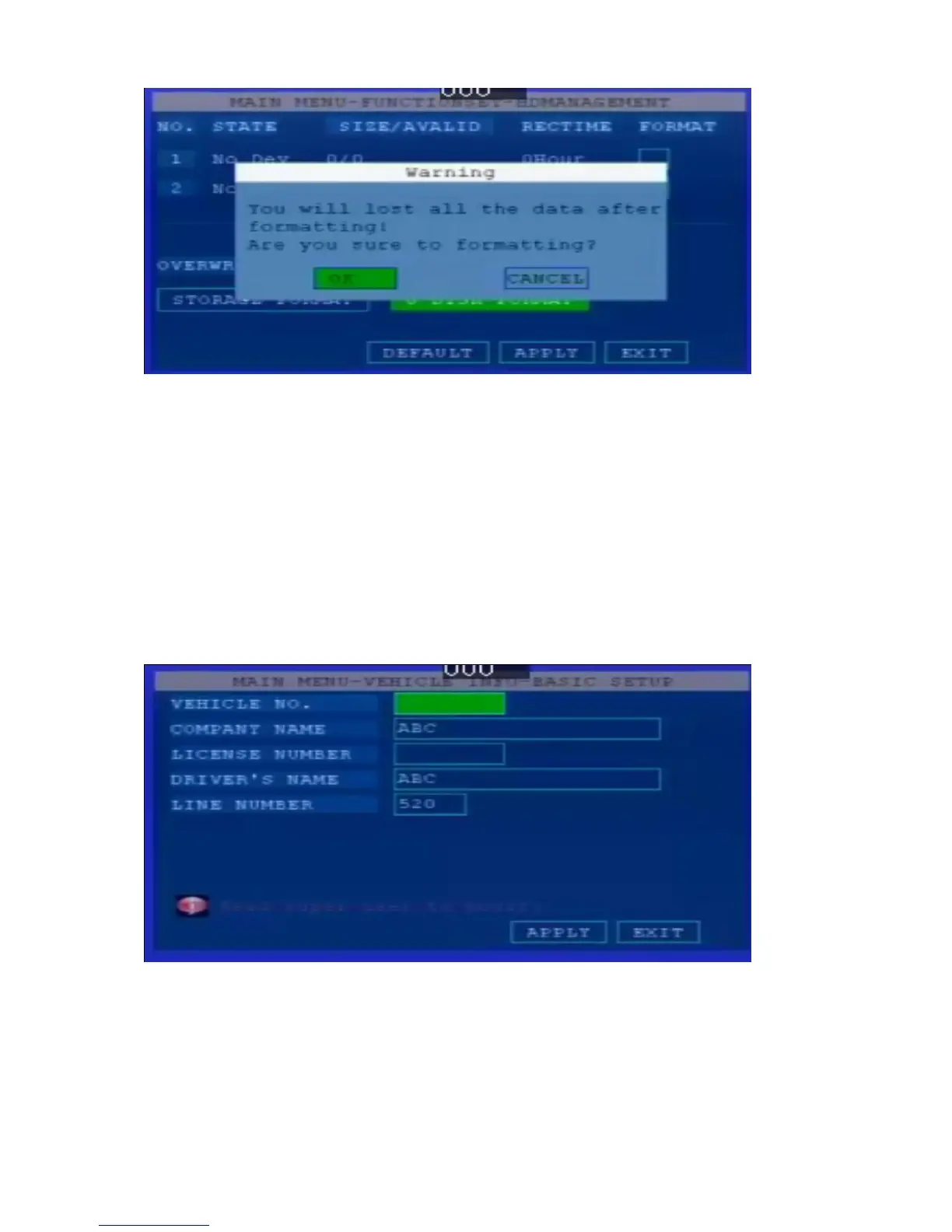
【FORMAT】 Select formatting keys (SD card device please select SD card format) press
【OK】 the system pop out the following windows .
【YES/NO】 To start formatting,press 【OK】 to input
Note: Formatting will delete all data in SD Cards
2.5 Vehicle Management
In main menu, use direction keys to select SYSTEM SETTING, press 【OK】 to enter the
system setting interface,including : Basic setting,Speed setting,G-sensor Setting,Device turn
on/off setting,Temperature Setting, GPS Setting,Wireless setting,WIFI Setting
2.5.1 Basic Setting
“ Company Name”,” Vehicle NO”,” Driver Name‟, press 【OK】 to enter, then enter the
Keyboard interface, move the cursor press 【OK】 to enter the letter
2.5.2 Speed Setting ( Extend Function )


 To Next Page
 Loading...