Need help?
Do you have a question about the Sitecom DC-223 and is the answer not in the manual?
Expresses gratitude to the user for purchasing the Sitecom ADSL2+ Modem / Router.
Lists all the items included in the product package for the user.
Highlights the key capabilities and specifications of the ADSL2+ Modem / Router.
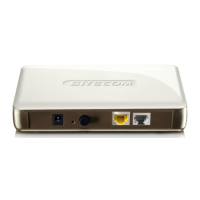
Details the physical ports, LEDs, and connectors on the router device.
Provides instructions on how to connect the ADSL modem/router using Ethernet and ADSL cables.
Prepares PCs for router setup, including network interface and TCP/IP configuration.
Outlines the default username, password, and IP settings for the router's interface.
Details the preset IP addresses and subnet masks for the router's LAN and WAN ports.
Lists the connection details required from the Internet Service Provider for setup.
Guides users on accessing and logging into the router's web interface for setup.
Monitors connection status, firmware versions, and network information via the Home section.
Walks users through a basic configuration process for internet access.
Configures LAN IP, DHCP server, Time Zone, and remote management settings.
Sets up firewall rules for packet, MAC, intrusion detection, WAN, and URL filtering.
Configures Quality of Service, Virtual Server, Static Route, Dynamic DNS, IGMP, VLAN, and WAN IP alerts.
Manages firmware upgrades, settings backup, system restarts, user accounts, and saving configurations.
Troubleshoots problems with ADSL router power-on and login credentials.
Resolves problems with PVC connection initialization and frequent ADSL loss.
Addresses issues with LAN connectivity, including ping failures and incorrect IP settings.
 General
| Wireless speed | Up to 300 Mbps |
|---|---|
| Frequency band | 2.4 GHz |
| Ports | 4 x 10/100 Mbps LAN, 1 x 10/100 Mbps WAN |
| Wi-Fi standards | 802.11n |
| Security | WPA, WPA2 |
| Antennas | 2 x external |


 To Next Page