7 PC Network Adapter setup
Windows XP
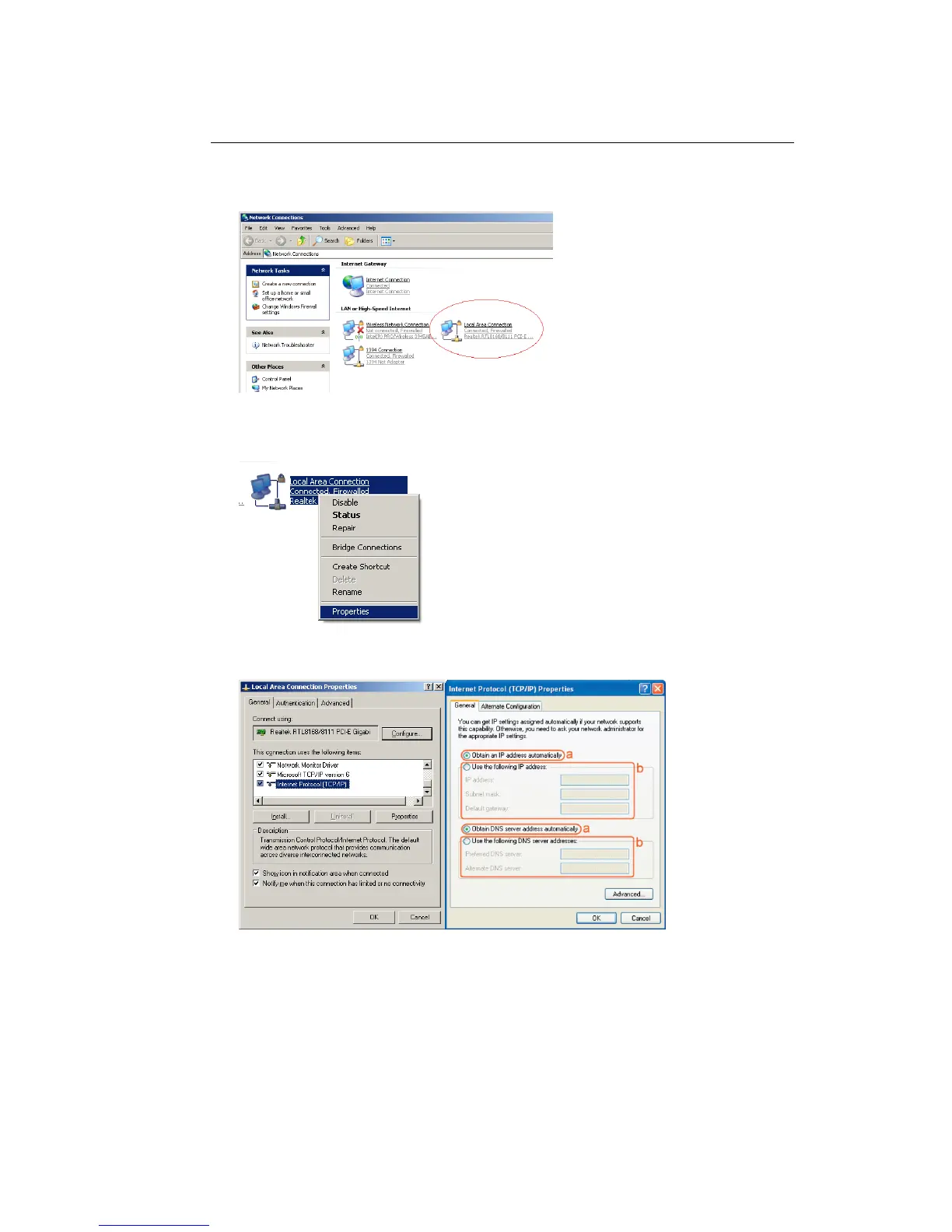
• Go to [Start Menu], [Control panel], [Network Connections].
• Right-mouse-click on the [Local Area Connection]) icon, and select
[properties]
• Select [Internet Protocol (TCP/IP)] =>Click [Properties].
• Select the [General] tab.
The Modem/Router supports DHCP. Please select both [Obtain an IP
address automatically] and [Obtain DNS server address automatically].



 To Next Page