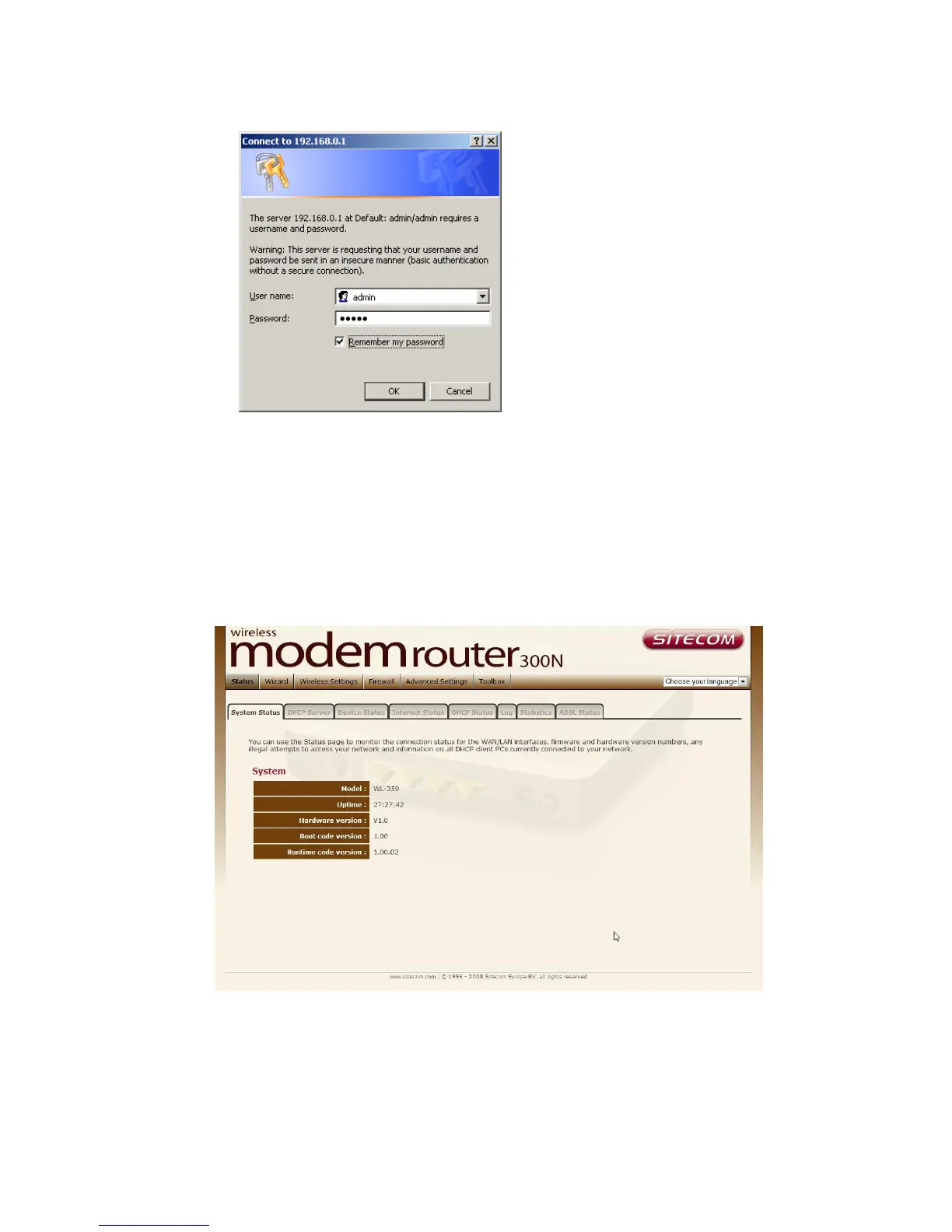
4. Type user name and password (default is admin/admin).
3. Click OK.
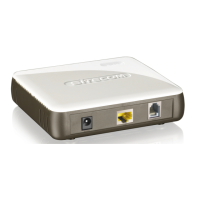
4. You will see the home page of the WL-358/359/363/367.
The System status section allows you to monitor the current status of your
router: the UP time, hardware information, serial number as well as firmware
version information is displayed here.



 To Next Page