Remote Management
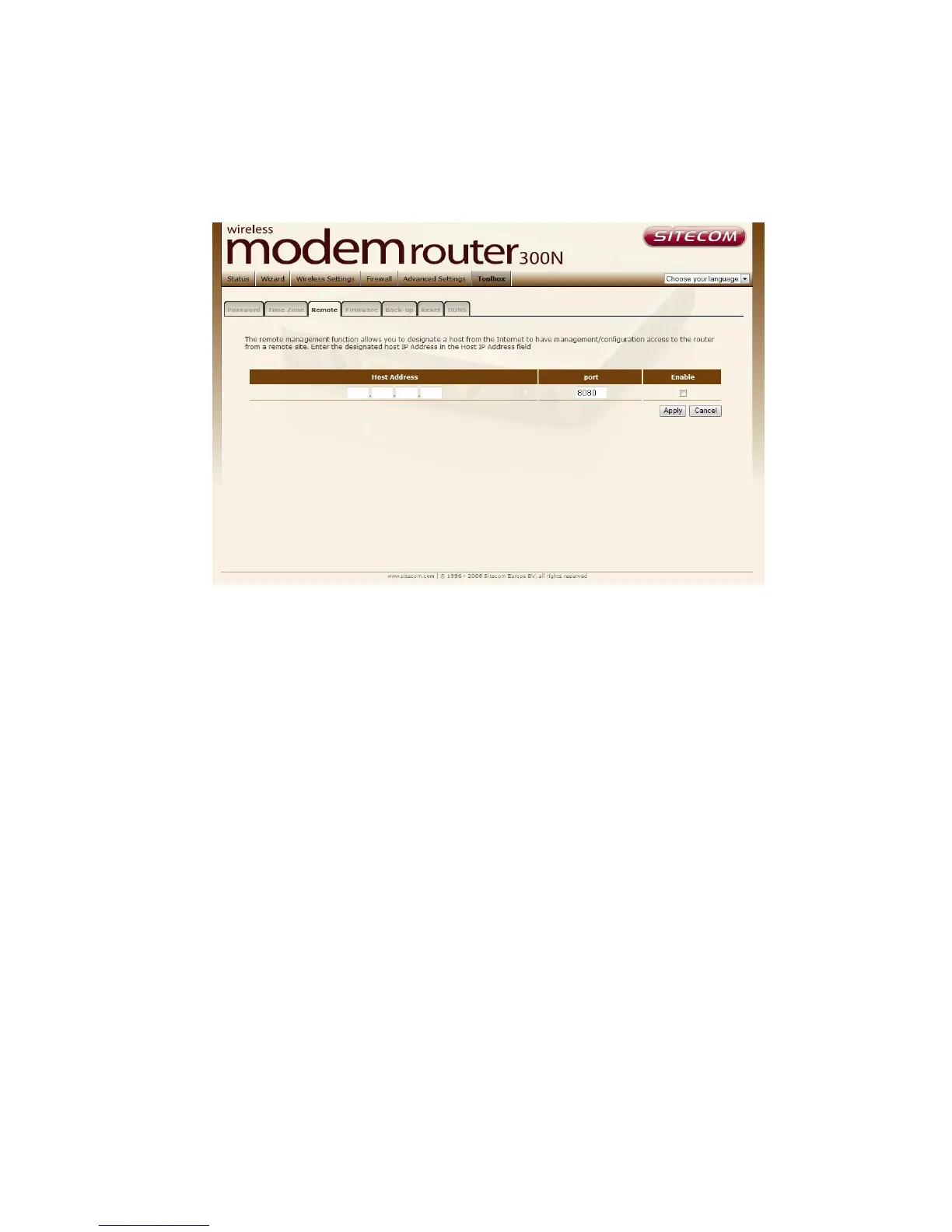
The remote management function allows you to designate a host in the
Internet the ability to configure the Broadband router from a remote site.
Enter the designated host IP Address in the Host IP Address field.
Host Address This is the IP address of the host in the Internet that will have
management/configuration access to the Broadband router from a remote
site. If the Host Address is left 0.0.0.0 this means anyone can access the
router’s web-based configuration from a remote location, providing they know
the password.
Port The port number of the remote management web interface.
Enabled Select “Enabled” to enable the remote management function.
Click <Apply> at the bottom of the screen to save the above configurations.



 To Next Page