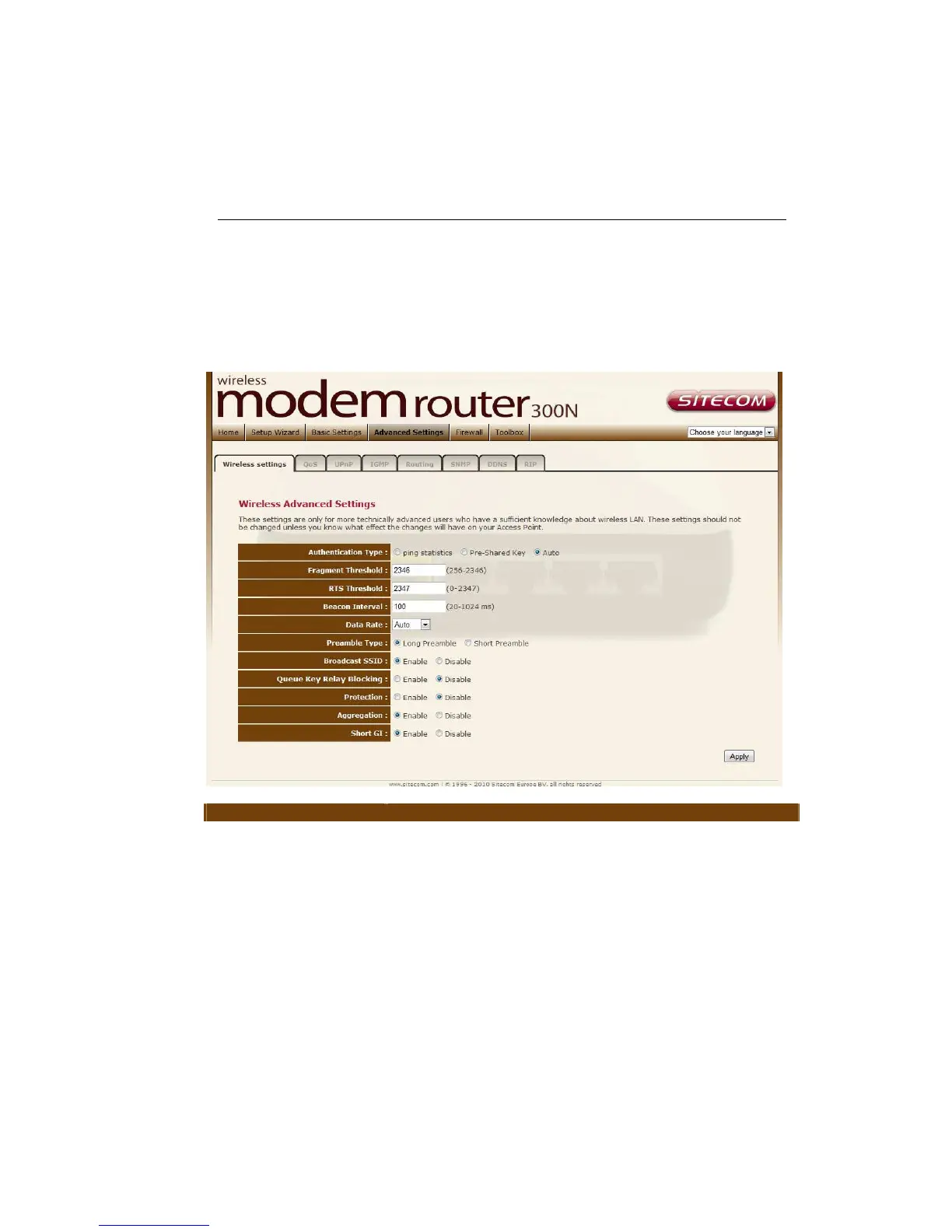
12 Advanced Settings
Wireless Settings
This page allows advanced users who have sufficient knowledge of wireless LAN.
These setting shall not be changed unless you know exactly what will happen
for the changes you made on your router.
Parameter Description
Authentication Type
There are three authentication types: "Open System",
"Shared Key" and "Auto".
Open System: Open System authentication is not
required to be successful while a client may decline to
authenticate with any particular other client.
Shared Key: Shared Key is only available if the WEP
option is implemented. Shared Key authentication
supports authentication of clients as either a member
of those who know a shared sec
those who do not. IEEE 802.11 Shared Key
authentication accomplishes this without the need to
transmit the secret key in clear. Requiring the use of



 To Next Page