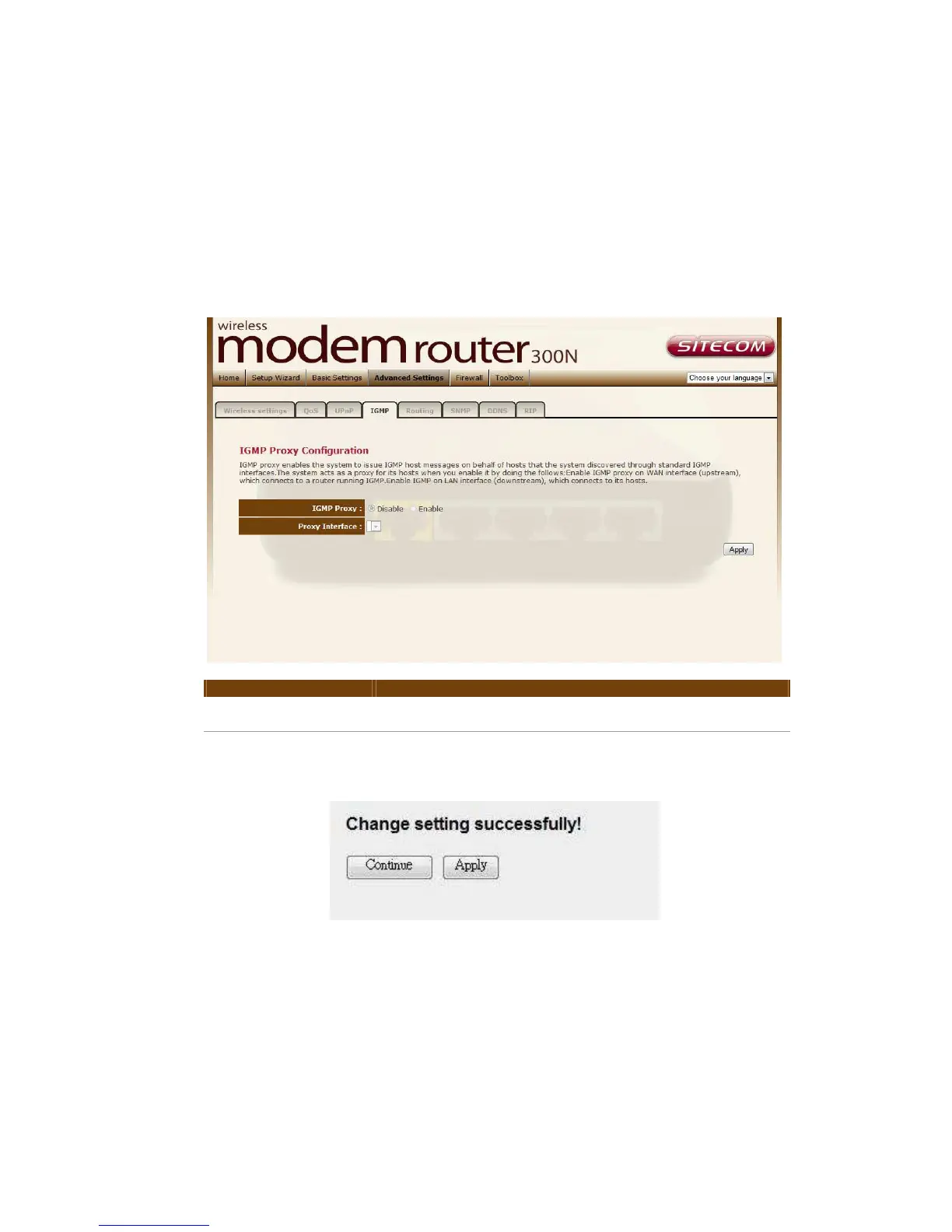
IGMP
The IGMP Proxy page allows you to enable multicast on WAN and LAN
interfaces. The LAN interface is always served as downstream IGMP proxy, and
you can configure one of the available WAN interfaces as the upstream IGMP
proxy. Upstream is the interface that IGMP requests from hosts are sent to the
multicast router. Downstream is the interface data from the multicast router are
sent to hosts in the multicast group database.
Parameter Description
IGMP Proxy Enable or disable IGMP proxy feature.
Proxy Interface The upstream WAN interface is selected here.
When you finish, click ‘Apply Changes’. You’ll see the following message
displayed on web browser:
Press ‘Continue’ to save the settings made and back to web management
interface; press ‘Apply’ to save the settings made and restart the router so the
settings will take effect after it reboots.



 To Next Page