11. System configuration
Pump settings => Zone 1 Settings => Lube Control=> Alarm
Step Key Display Description
Zone 1 Settings/Lube Control Zone 1 Alarm
3
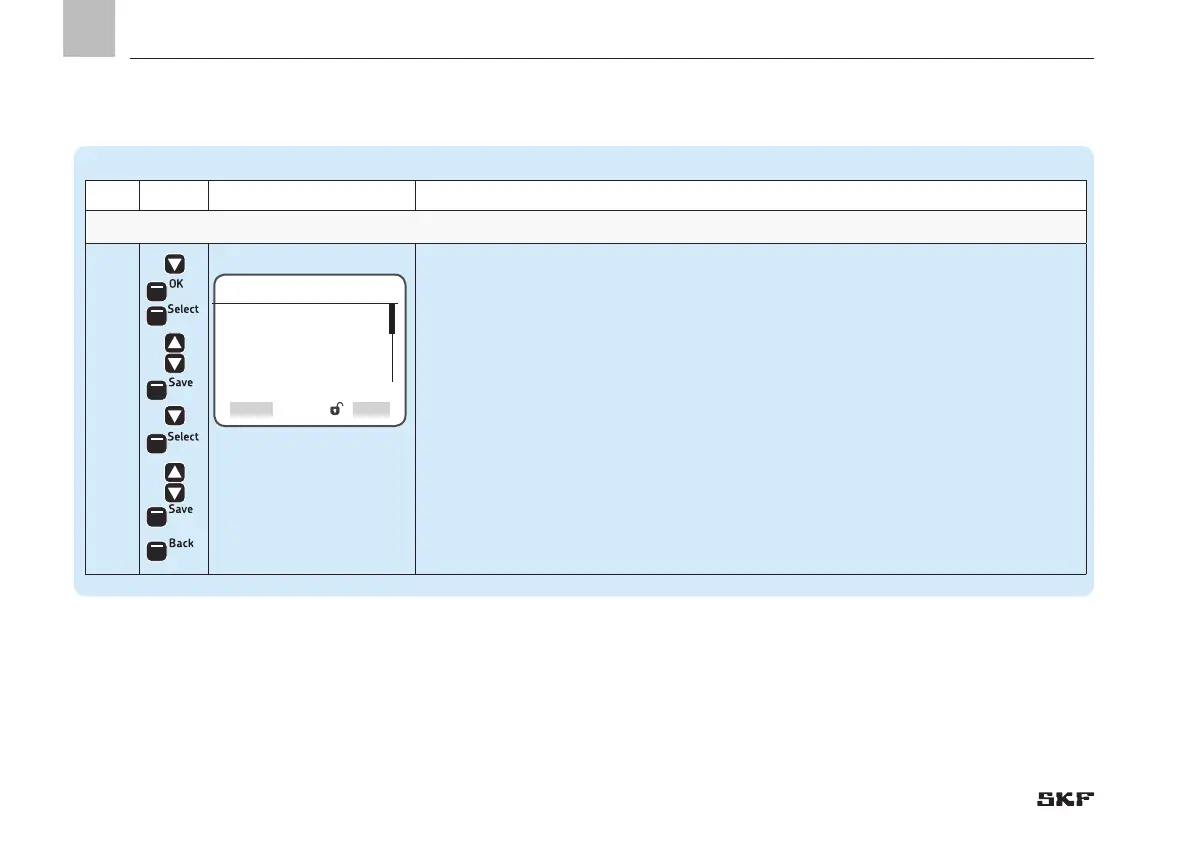
• Use <down arrow key> to select Alarm
• Press <OK control key>
)You will enter the Alarm menu
• Press <Select control key>
)The following settings are available:
o disabled/normally open/normally closed
• Use <down/up arrow key> to enter the function of the alarm
• Press <Save control key>
• Use <down arrow key> to select the Output No. menu item
• Press <Select control key>
• Use <down/up arrow key> to enter the Output
• Press <Save control key>
• Press <Back control key>
Alarm
Output Type
[normally open]
Output No.
[1.02] O
Select


 To Next Page