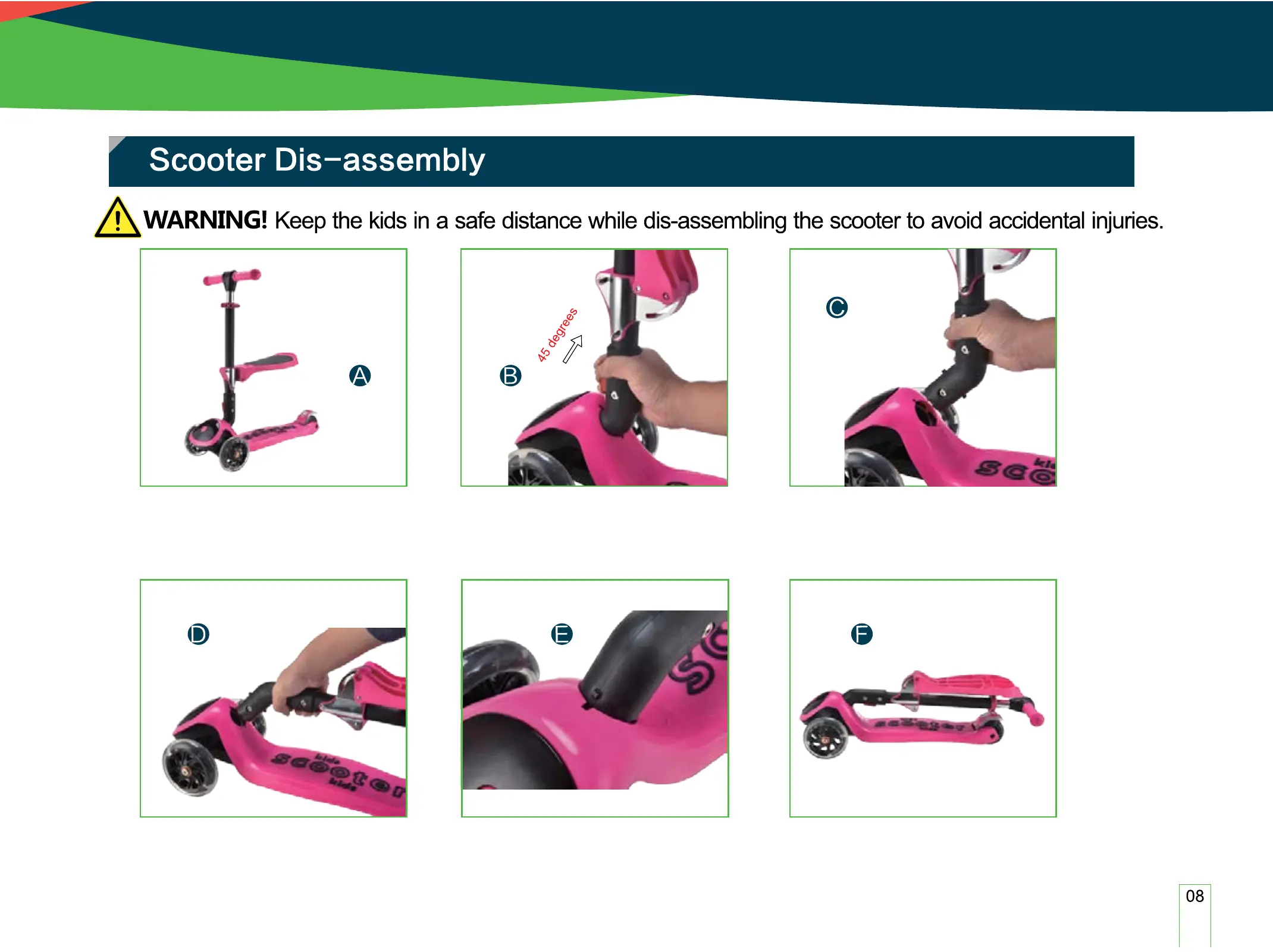
Press the Red Push Button (1) and Pull the Handlebar (2) 45 degrees upward, as
shown in Figure B&C.
Scooter, as shown in gure A.
Finish the Scooter Dis-assembly, as
shown in Figure F.
Rotate the handlebar (2) 90 degrees, Press red push button (1), Direct the
Convex (3) to the Localization gap (5), insert the Handlebar (2) in Scooter hole
(4), as shown in gure D&E. Until you hear "click" sound to ensure handlebar
(2) securely locked in the scooter body.


 To Next Page