EasyManua.ls Logo

Skil SC535801 - User Manual

Skil SC535801
32 pages
Print Icon
To Next Page IconTo Next Page
Loading...
WARNING: To reduce the risk of injury, the user must read and understand the
Owner’s Manual before using this product. Save these instructions for future reference.
AVERTISSEMENT : Afin de réduire les risques de blessure, l’utilisateur doit lire et
comprendre le guide d’utilisation avant d’utiliser cet article. Conservez le présent guide
afin de pouvoir le consulter ultérieurement.
ADVERTENCIA : Para reducir el riesgo de lesiones, el usuario debe leer y comprender
el Manual del operador antes de utilizar este producto. Guarde estas instrucciones para
consultarlas en caso sea necesario.
Owner’s Manual
Guide d’utilisation
Manual del propietario
For Customer Service
Pour le service à la clientèle
Servicio al cliente
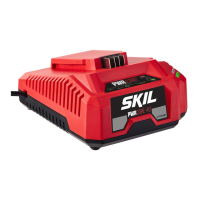
20V 1 Hour Charger
Chargeur 1 heure de 20 V
Model/ Modelo/ Modèle: SC535801
1-877-SKIL-999
OR
www.skil.com

Questions and Answers

  • W
    Wendy HenryJul 30, 2025
    Why is my Skil SC535801 not charging?
    • G
      garciacynthiaJul 30, 2025
      There are several potential reasons why your Skil Battery Charger might not be charging. First, ensure the charger is properly plugged into a functioning outlet. Next, verify that the battery pack is fully inserted into the charger. Also, check for bad contacts and clean them, if necessary. The battery may be too hot or cold; cool or warm it as needed. If these steps don't resolve the issue, the battery pack or the charger itself may be damaged and require servicing by an Authorized SKIL Service Station.
  • D
    Deanna CummingsAug 6, 2025
    What to do if Skil SC535801 Battery Charger is not working?
    • T
      Theresa MoralesAug 6, 2025
      If your Skil Battery Charger isn't working, start by checking that it's plugged into a functioning outlet and that the battery pack is fully inserted. Clean the contacts on both the charger and battery pack. If the battery is either too hot or too cold, allow it to cool down or warm up to room temperature. If the issue persists, the battery pack or charger might be damaged, and you should seek service from an Authorized SKIL Service Station.
  • D
    Dylan SkinnerAug 13, 2025
    How to fix Skil SC535801 Battery Charger that won't charge?
    • J
      James JohnsonAug 13, 2025
      To fix a Skil Battery Charger that won't charge, first make sure it's properly plugged into a working outlet and that the battery pack is fully inserted. Clean the charger and battery pack contacts. If the battery is too hot, cool it down; if it's too cold, warm it up. If these steps don't work, the battery pack or charger may be damaged and require servicing by an Authorized SKIL Service Station.
  • J
    Janet CrosbyAug 20, 2025
    Why Skil SC535801 is not charging battery?
    • A
      alyssalewisAug 20, 2025
      Your Skil Battery Charger might not be charging the battery due to several reasons: it may not be correctly plugged into a functioning outlet, or the battery pack might not be fully inserted into the charger. Bad contacts could also be the cause, so try cleaning them. Additionally, if the battery is too hot or too cold, it won't charge properly. If none of these are the reason, the battery pack itself or the charger could be damaged and should be serviced by an Authorized SKIL Service Station.

Summary

Essential Safety Instructions

Charger Safety Guidelines

This manual contains instructions for battery charger model SC535801. Do not substitute any other charger.

Extension Cord Safety and Usage

Instructions for using extension cords, including wire size requirements and proper connection.

Extension Cord Safety Warnings

Warning about potential fire and electrical shock risks when using improper extension cords.

Regulatory Compliance and Safety Notices

Covers FCC compliance, operation conditions, and potential interference issues.

Pacemaker User Advisory

People with pacemakers should consult physicians before using this product due to potential interference.

Interpreting Safety and Information Symbols

Explains the purpose and meaning of safety symbols like DANGER, WARNING, CAUTION, and the safety alert symbol.

Property Damage Prevention Notices

Informs users about potential equipment or property damage if instructions are not followed.

Technical and Recycling Symbol Definitions

Defines symbols for electrical measurements, current types, and battery recycling programs.

Electrical Measurement and Current Symbols

Defines symbols for Volts, Amperes, Hertz, Watts, capacity, speed, and current types.

Battery Recycling Program Identification

Identifies symbols related to Li-ion and Ni-Cad battery recycling programs.

User Guidance and Safety Symbols

Explains symbols for manual reference and mandatory eye protection.

Mandatory Eye Protection Symbol

Instructs users to wear safety goggles or safety glasses with side shields and a full face shield.

Product Certification and Marks

Lists and explains various certification marks from UL, CSA, Intertek, and other agencies.

UL Listed and Recognized Marks

Designates listing or recognition by Underwriters Laboratories.

CSA Certified Marks

Designates listing by the Canadian Standards Association.

Additional Certification Marks

Includes symbols for Intertek, NOM Mexican Standards, and California Energy Commission.

Getting to Know Your Charger

Charger Component Identification

Identifies key parts of the charger, including charging and defect indicators, and the cord.

Technical Specifications

Electrical Specs and Battery Compatibility

Details rated input/output, battery compatibility, and temperature ranges for charging and storage.

Important Charging Notes

Battery Pack Lifespan Indicator

A significant drop in operating time per charge indicates the battery pack may be nearing end of life.

Storage Precautions

Reminds users to unplug the charger during storage.

Troubleshooting Charging Issues

Provides steps to check for power, outlet connection, battery contacts, and when to seek service.

Operating Your Charger

Battery Pack Charging Procedure

Step-by-step guide on connecting the charger, inserting the battery, and monitoring charging indicators.

Understanding Charger Indicators

Charging and Defect Indicator Meanings

Explains the meaning of green charging and red defect indicators for different modes like normal charging, fully charged, and defective.

Specific Troubleshooting Scenarios

Troubleshooting a Defective Charger

Diagnoses issues when charger self-inspection fails, suggesting checks and service options.

Troubleshooting a Defective Battery Pack

Explains how to identify a defective battery pack using the charger's indicators and suggests troubleshooting steps.

Charger Wall Mounting

Wall Mount Installation Guide

Provides dimensions and guidance for securely mounting the charger on a wall.

Maintenance and Servicing

Authorized Service and Repair

Emphasizes using authorized service centers for preventive maintenance and repairs to avoid hazards.

Cleaning and General Maintenance

Details periodic inspection, use of identical replacement parts, and cleaning methods with safety warnings.

Proper Tool Storage

Provides instructions for storing the tool indoors, away from children and corrosive agents.

General Troubleshooting Guide

Resolving Battery Pack Charging Issues

Lists common problems, causes, and remedies for the battery pack not charging.

Limited Warranty Information

2-Year Limited Warranty Details

Outlines the warranty period, coverage, limitations, and claim procedures for SKIL consumer tools.

Skil SC535801 Specifications

General IconGeneral
BrandSkil
ModelSC535801
CategoryBattery Charger
LanguageEnglish

Related product manuals