(1)
(2)
(3)
(4)
(5)
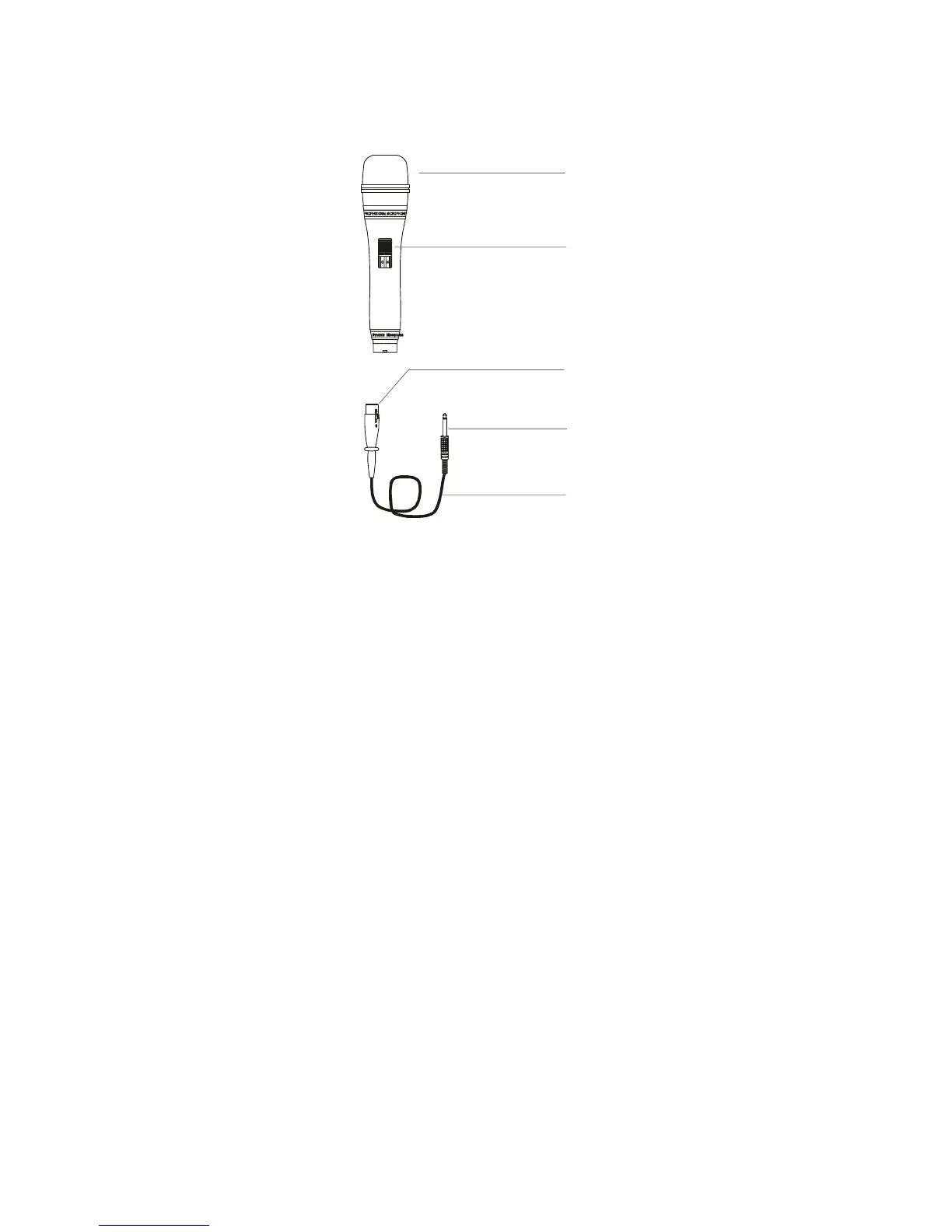
NAME PARTS (RECEIVER)
1. MIC head.
2. Power switch.
3. Cannon plug
4. Plug
5. Cable
OPERATION INSTRUCTION
HAND PRECAUTIONS
If the microphone head is covered by hand or the microphone is approached to the
speaker, a howling sound may be generated. This phenomenon of howling is caused by
the microphone picking up the sound output from the speaker. To prevent this, first
decrease the volume, then place the microphone so that it is not pointed to the speaker.
and that there is a sufficient distance between the microphone and speaker. The
microphone is sensitive equipment. Do not drip, hit it or apply strong shock to it.
Do not store the microphone in a place with high temperature or humidity.
POLNTER FOR PROPER USE OF
MICROPHONE
The optimum distance between the microphone and mouth is from 5 to 10
centimeters. If the microphone is too close to the mouth, the sound may be unclear
with too-muchenhanced bass(proximity effect) or may be uncomfortable to ears with
pop noise generated every time the singer breathes in and out.



 To Next Page