Use Match key
Match:
Short press match key, immediately press on/off key (single zone remote)
or zone key (multiple zone remote) of the remote.
Use Power Restart
Match:
Switch off the power, then switch on power, repeat again.
Immediately short press on/off key (single zone remote)
or zone key (multiple zone remote) 3 times on the remote.
The light blinks 3 times means match is successful.
.
Delete:
Switch off the power, then switch on power, repeat again.
Immediately short press on/off key (single zone remote)
or zone key (multiple zone remote) 5 times on the remote.
The light blinks 5 times means all matched remotes were deleted.
Delete:
Press and hold match key for 10s to delete all match, The light blinks 5 times
means all matched remotes were deleted.
The control box can match with optionally by default, except PIR motion sensor input. RF 2.4G dimming remote control
For PIR motion sensor input, please long press the MATCH key 20s to disable the RF remote match function.
For other sensor input, please long press the Match key 10s to enable the RF remote match function.
The user can choose the suitable match/delete ways. Two options are offered for selection:
Match Remote Control
Tuya Smart APP network connection and operation
Please download the corresponding Tuya smart /smart life APP according to your region.
Press and hold Match key for 5s, or push twice Match key fastly,
Clear previous network connection, enter config mode, the blue LED indicator flash fastly.
If Tuya smart APP network connection succeed, the blue LED indicator will stop flash,
and in Tuya smart APP, you can find ZB-DIM device.
Tuya smart APP interface operation:
Touch brightness slide to adjust brightness.
Repeat power on and off for 5 consecutive times, also clear previous network connection,
enter config mode, the output LED will flash10 times.
ZB - D I M
Page 2
2024.7
User Manual Ver 1.0.0
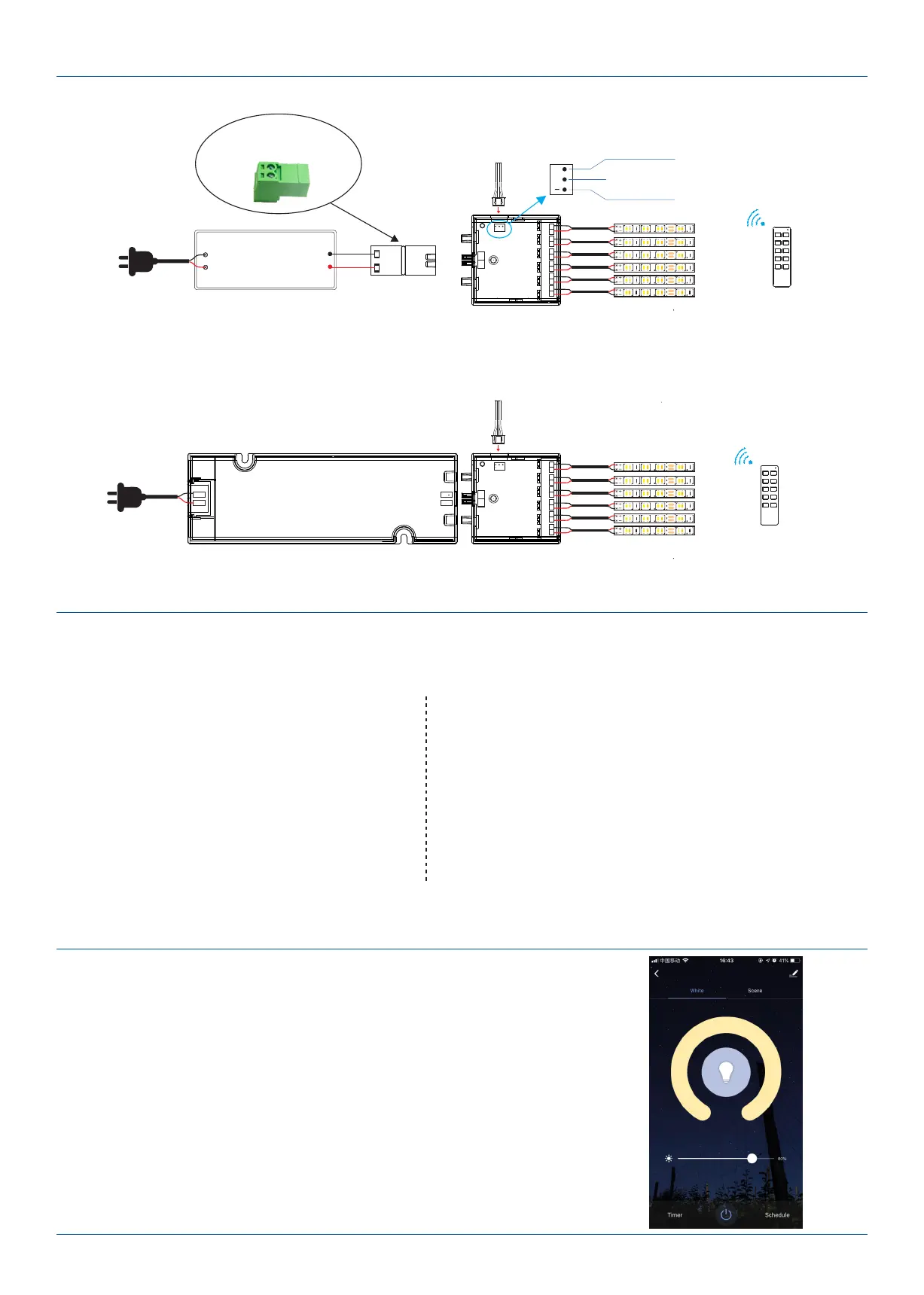
1. Use alone, powered by constant voltage power supply
RF remote
Single color LED strip
Wiring Diagram
Power Supply
12-24VDC
Constant Voltage
2. Matching cabinet LED driver use
2P foot distance:3.1mm
+
-
OUT
+
OUT OUT OUT OUT OUT
-
+
-
+
-
+
-
+
-
+
-
361
YYY
361
361
YYY
361
361
YYY
361
361
YYY
361
361
YYY
361
361
YYY
361
S
+
12-24VDC INPUT
MATCH
SENSOR IN (5V)
AC100-240V
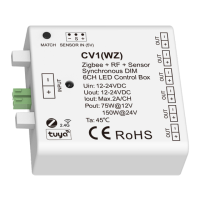
CV1(WZ)
Power input +
5V level or PWM signal,
high is ON, low is OFF
Power input -
Sensorhead
( , touch, hand sweep, door control, etc.)PIR motion
S
+
(Optional Accessory)
+
-
OUT
+
OUT OUT OUT OUT OUT
-
+
-
+
-
+
-
+
-
+
-
PBL-60-12
Vo
+
Vo
L
N
361
YYY
361
361
YYY
361
361
YYY
361
361
YYY
361
361
YYY
361
361
YYY
361
S
+
12-24VDC INPUT
MATCH
SENSOR IN (5V)
AC100-240V
CV1(WZ)
RF remote
Single color LED strip
Sensorhead
( , touch, hand sweep, door control, etc.)PIR motion


 To Next Page
 Loading...