Technical Help
DataHog2
Skye Instruments Ltd
21, Ddole Enterprise Park, Llandrindod Wells
Powys LD1 6DF, United Kingdom
Measuring Current Consumption p2
OPTION 3 - Using an ammeter and special test device
Tools Required: Good quality multimeter or ammeter, which will measure at least 0.1 mA
Special test device (prepared in advance - see below)
Laptop / PC, DataHog2 software & datalead
1. Remove the base from the logger
2. Insert a fresh set of batteries
3. Place the test device between the positive button end of one battery and its battery clip
4. Connect the ammeter in series across the 2 wires of the test device
5. Press the PSU Reset button, it should give one faint click
6. Press the Reset button.
7. Connect the PC datalead and start the logger software
8. Measure the current consumption in Main Menu mode, this should be 8.8 - 12 mA
9. Measure the current consumption in Log Mode, this should be 0.3 – 0.6 mA
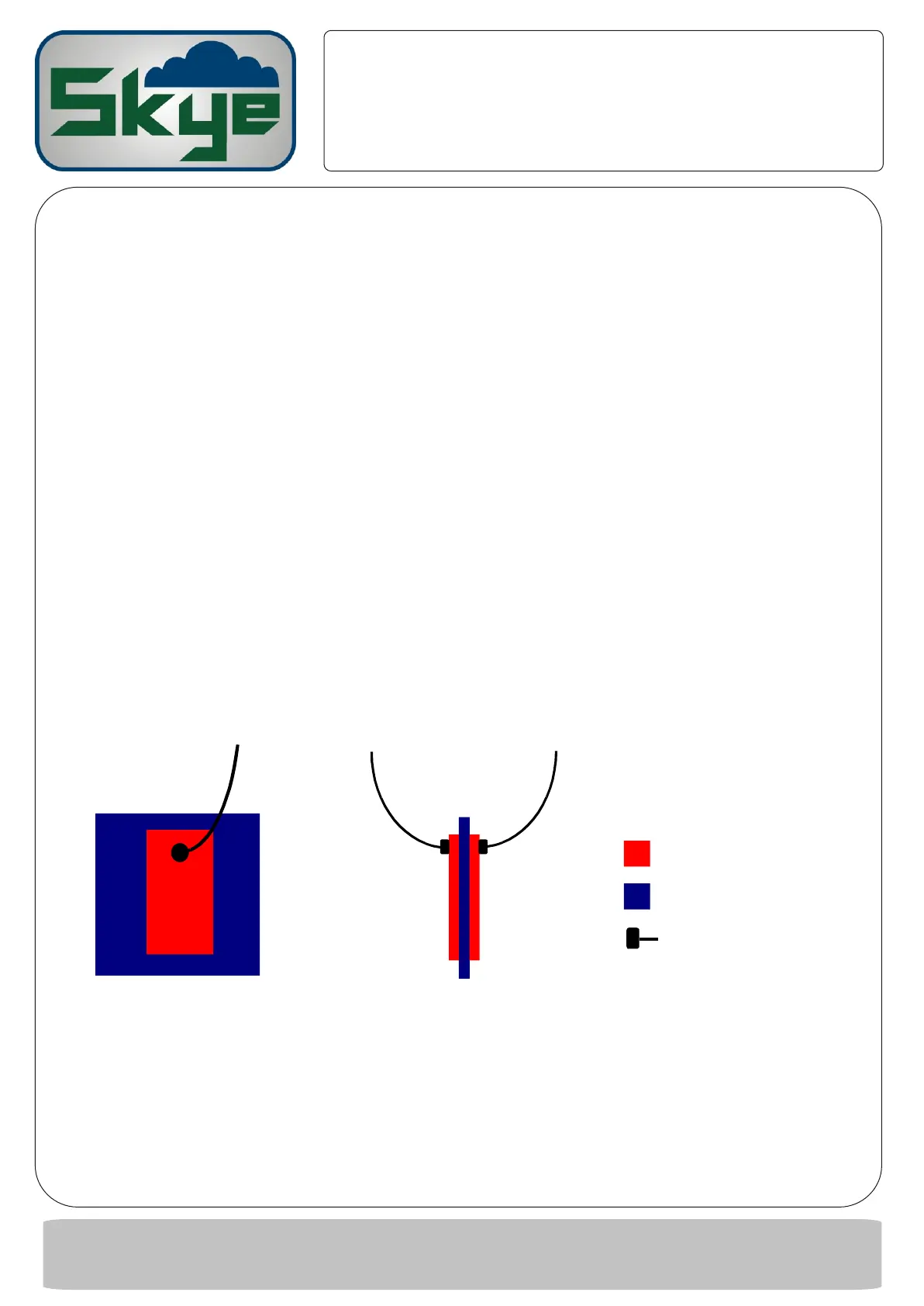
MAKE YOUR OWN TEST DEVICE
Components required: approx. 2x2cmsquare, thin, insulating material, e.g. 1mm plastic film
Two pieces, approx 1x1.5cm copper foil or metal conducting sticky tape
Two single core insulated wires around 6cm length
Soldering iron & solder
1. Solder one wire near the short end of each conducting piece
2. Glue or stick one piece of metal foil / tape on each side of the insulating film
FRONT VIEW SIDE VIEW
TEL +44 (0)1597 824811
EMAIL skyemail@skyeinstruments.com
WEB http://www.skyeinstruments.com
Conductor
Insulator
Soldered wire
Technical Help
DataHog2
Technical Help
DataHog2


 To Previous Page
 Loading...
