13. Install the top cover:
a. Place the system cover on the chassis.
b. Slide the cover forward until the front edge of the system cover is pressed up against the back edge of the
front drive bay.
c. Hand tighten the two captive thumb screws at the back of the chassis.
14. Plug the cables into the 4-ports fiber card.
15. Test the appliance function.
16. Install the tamper label.
Related Information
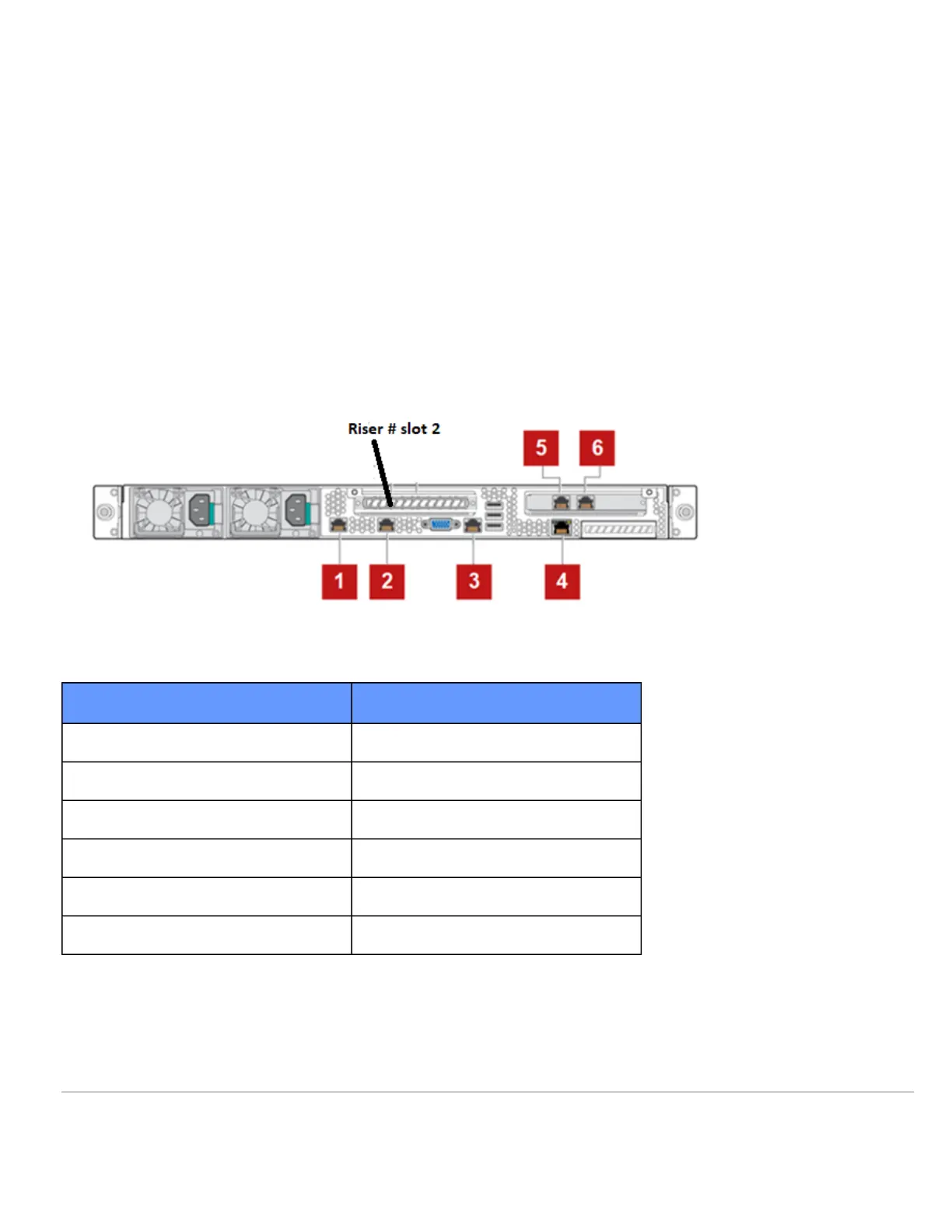
Back panel layout for Web Gateway models WBG-5000-E2 and WBG-5500-E2:
Label Interface
1 Network interface 1
2 Network interface 2
3 Serial
4 RMM
5 Network interface 3
6 Network interface 4
Additional NIC illustration 1:
https://success.skyhighsecurity.com/Skyhigh_Secure_Web_Gateway_(On_Prem)/Information_about_Secure_Web_Gateway…
Downloaded: Wed, 10 Apr 2024 20:03:22 GMT
2



 To Next Page