31
4. Feed the rope through the slot in the Rope Guide. Tighten the rope a little. The rope will be pulled into the Rope Grab and the Rope
Cover can be closed more easily.
5. Close the Rope Cover and ensure it is locked. The Rope Cover lock should snap into its position. A distinct ‘click’ should be heard. Never
attempt to close the Rope Cover with force.
WARNING: Always check that the rope is attached correctly and has a stop-knot on the other end of the rope. Failure to attach the rope correctly
could result in damage to the rope and loss of grip on the rope. Load the rope when the Emergency Stop of the Ascender is activated to avoid
accidental activation by the Remote Control. Ensure that the Rope Cover is locked into position.
5.1) Ascender activation
To activate the Ascender check that the Emergency Stop button is pulled out. Switch the Ascender on by pushing the Power Button for 2 seconds. The
green indicator LED starts blinking and the Ascender performs a self-test, which will take a few seconds. The Ascender is ready to use after you hear a
distinct clicking within the Ascender (brake test) and the green LED indicator is lit continuously. The Ascender will remain on for 4 hours after its last
operation.
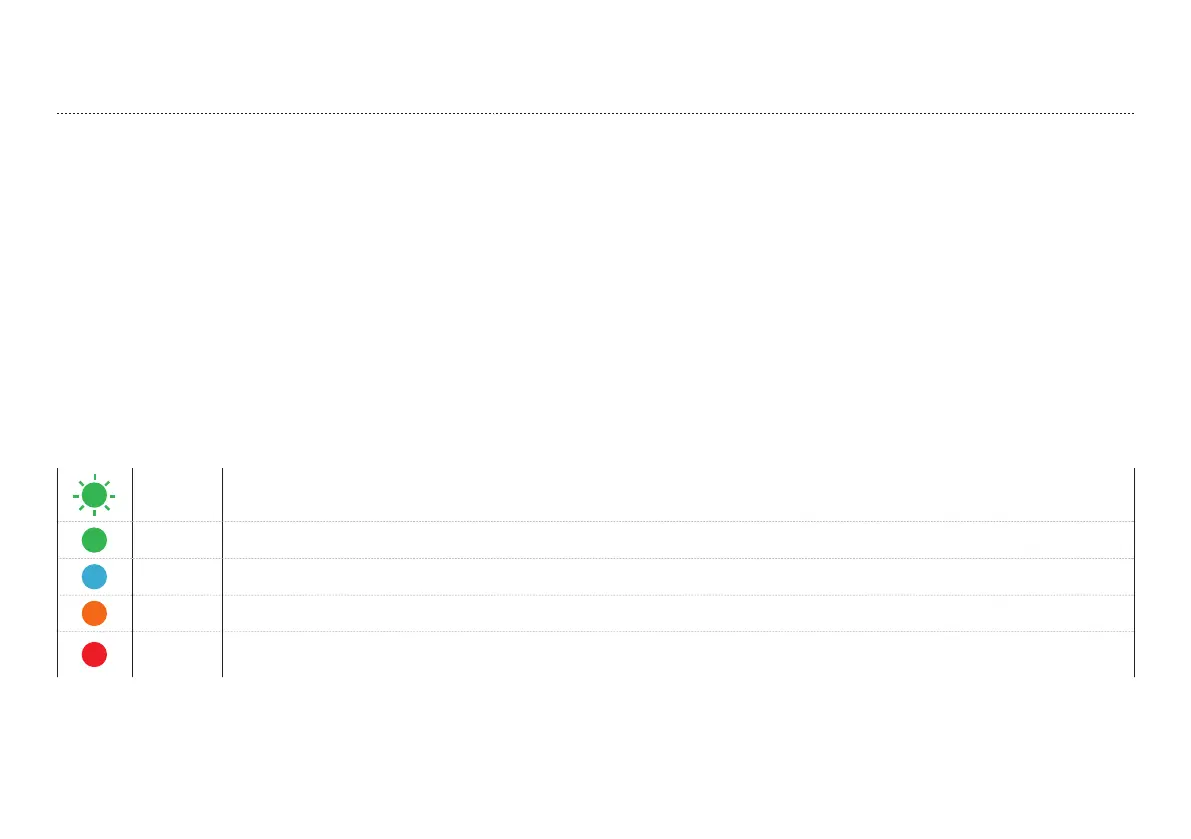
Tab. 5.1.1
Blinking
green
The Ascender is starting up and perfoming self-test.
Green The Ascender is on and ready to use.
Blue The Ascender is being operated by the Remote Control.
Orange Overheat indication shown when Power Button is pushed in case of Ascender overheating.
Red A fault has been detected and the Ascender will not operate. Restart the Ascender. If the red light remains lit on restart, check
the troubleshooting guide.
NOTE: The Ascender has no standby function, the Ascender can only be switched on by pushing the Power Button.


 To Next Page
 Loading...