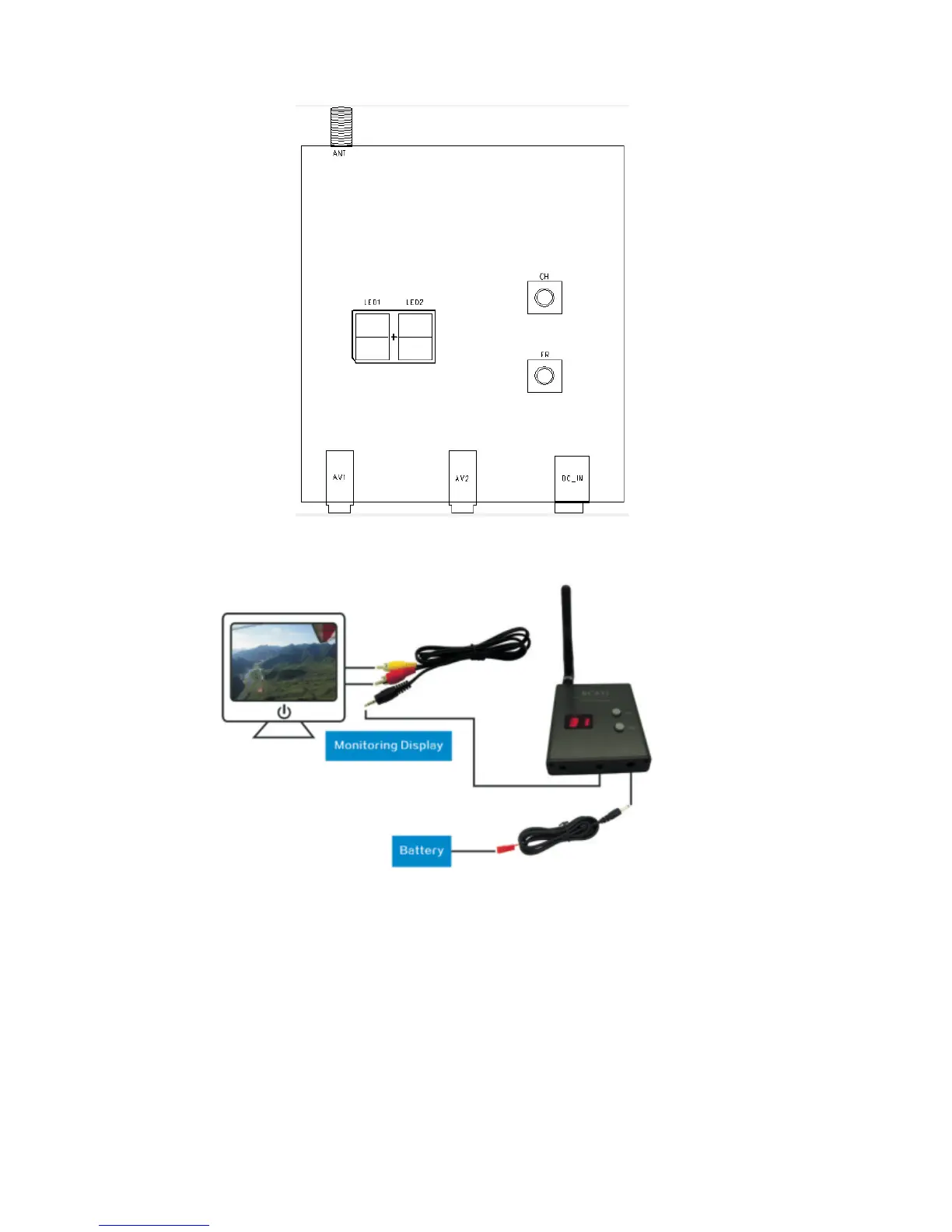
B. Application example
C. Channel and Digital tube display
Power on, press the “CH” button to change channel,“CH” digital display will change
synchronously,“CH” digital display changes cyclically from 1 to 8.
D. Frequent and Digital tube display
Power on, press the “FR” button to change frequency band,“FR” digital display will change
synchronously,“FR” digital display changes cyclically from 1 to 4.
FR1 for A band,FR2 for B band,FR3 for E band,FR4 for F band(Airwave band).


 To Next Page