L
R
Foot
Head
L
R
MATTRESS assembly
INFLATE AIR
CHAMBER(S)
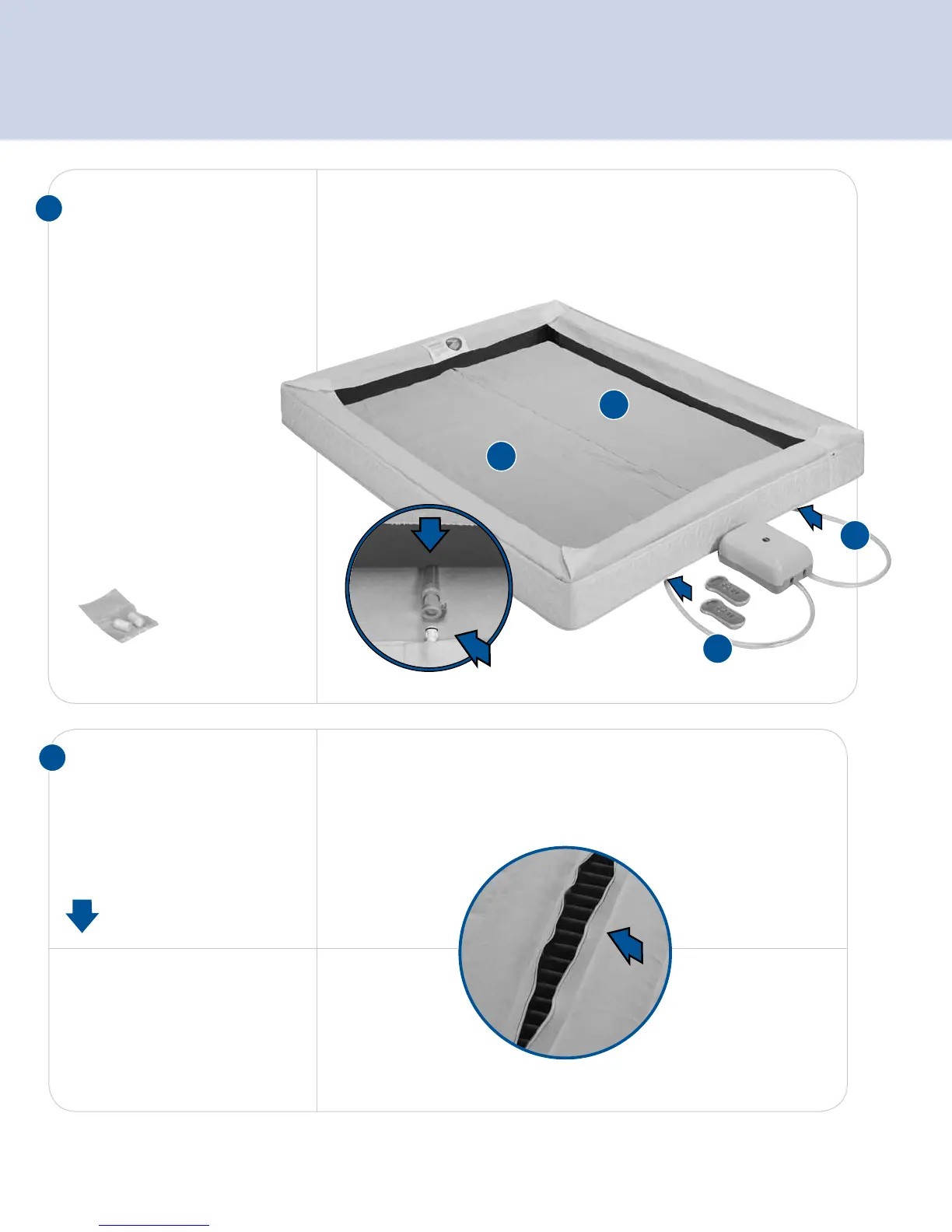
Using remote, inflate air chamber.
For dual chamber beds,
repeat for second air chamber.
Insert foam between chambers.
For dual chamber models, press “L” or “R”to activate and select
a side.
Press the 5 button several times to inflate to ”20.”
9
8
CONNECT FIRMNESS
CONTROL
™
SYSTEM
Place the Firmness Control
™
System on the floor at the
head of the bed. Plug the power
cord into the Firmness Control™
System and into an outlet.
Key Step:
Pass the hose marked ”L”
through the hole on the left
side of the mattress cover and
connect to the left air chamber.
Press hose connections
together until they click.
Then complete the right side.
IMPORTANT SAFETY NOTICE: The warranty does not cover
damage to the Firmness Control
™
System due to a power surge.
Using a surge protection device (not included) is recommended.
Store air chamber caps inside
mattress at head of bed.



 To Next Page