FIRMNESS control
™
system
18
YOUR REMOTE AND ITS FUNCTIONS
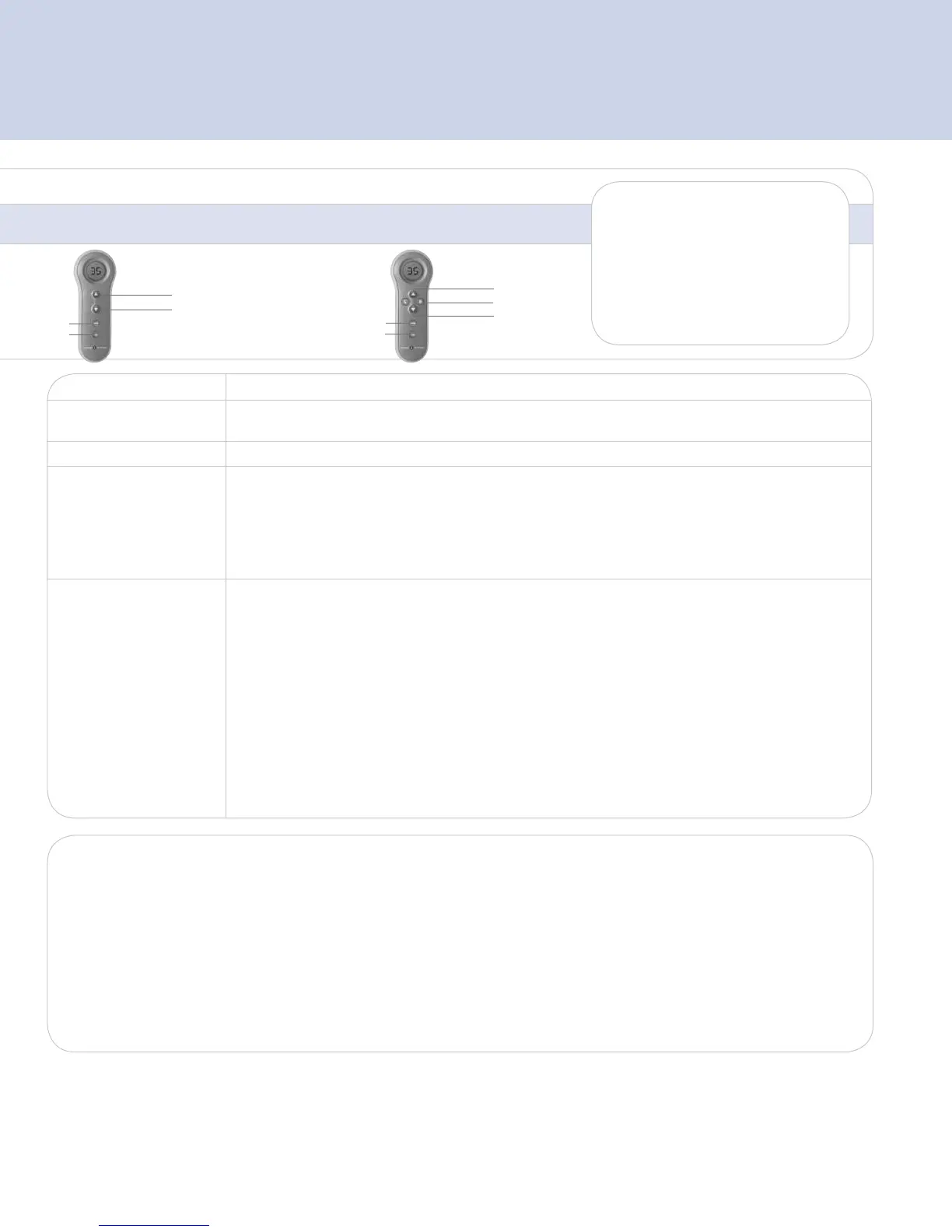
Firmer ▲ Softer q
BUTTON
FUNCTION
A 9-Volt battery is included
and should last about six
months under normal use.
Replace the battery when
the low battery indicator
is displayed.
wakes when any
button is pressed
Firmer
Softer
Single
Chamber
Press and release the ▲ or q button several times until desired SLEEP NUMBER
®
setting is displayed.
Adjustment will begin after a slight delay.
wakes when L or R
button is pressed
Firmer
Side
Softer
Dual
Chamber
Side (L) and (R)
Press to choose a side, it will display the previous Sleep Number setting.
Fill
This will allow you to inflate one or both chambers to a Sleep Number setting of 100.
- To fill both chambers press and hold the Fill button for at least 2 seconds.
- To fill one chamber press any button to wake up remote, then press L or R to select a side.
Press and hold Fill button for at least 2 seconds.
To stop the fill feature at any time, press any button on the remote.
Memory
This feature allows you to set your favorite Sleep Number setting into memory and recall it at any time.
SETTING MEMORY
- Press L or R to choose a side and wake up the remote.
- Adjust the bed to the Sleep Number setting you’d like as your memory setting.
- Press and hold the Memory button for 3 seconds.
- “Memory Set” will appear above the Sleep Number when it’s set.
RECALLING MEMORY
- Press L or R on the side you would like to recall.
- Press the Memory button 2 times within 5 seconds.
The first press of the button will display the current Sleep Number set in memory. The second press of the
button will adjust the bed to the memory setting. As the adjustment is taking place, the number displayed
and tick marks will indicate the change.
*Caution Statement: (per CFR 15.21) Changes or modifications not expressly approved by the party responsible for compliance could void the users authority to operate the equipment.
Device Statement: (Section 15.105 (b) of the FCC Rules) “Note: This equipment has been tested and found to comply with the limits, pursuant to part 15 of the FCC Rules. These limits are designed to provide
reasonable protection against harmful interference in a residential installation. This equipment generates, uses, and can radiate radio frequency energy and, if not installed and used in accordance with the
instructions may cause harmful interference to radio communications. However, there is no guarantee that interference will not occur in a particular installation. If this equipment does cause harmful interference
to radio or television reception, which can be determined by turning the equipment off and on, the user is encouraged to try to correct the interference by one or more of the following measures:
• Reorient or relocate the receiving antenna.
• Increase the separation between the equipment and receiver.
• Connect the equipment into an outlet on a circuit different from that to which the receiver is connected.
• Consult the dealer or an experienced radio/TV technician for help.
This device complies with Part 15 of the FCC Rules. Operation is subject to the following two conditions: (1) this device may not cause harmful interference, and (2) this device must accept any interference
received, including interference that may cause undesired operation.
Important Safety Instructions
• WARNING–To reduce the risk of re or electric shock, do not use this Firmness Control
TM
System with any solid-state speed control device.
• No user serviceable parts are incuded. For service needs, contact Select Comfort Customer Service.
• Protect the Firmness Control
TM
System against water ingress.
• Certain Firmness Control
TM
Systems have a polarized plug (one blade is wider than the other). To reduce the risk of electric shock, this plug is intended to t in the polarized outlet
only one way. IF the plug does not fit fully into the outlet, reverse the plug. If it still does not fit, contact a qualified electrician. Do not attempt to defeat this safety feature.
Memory
Fill
Memory
Fill


 To Next Page
 Loading...