Please note:
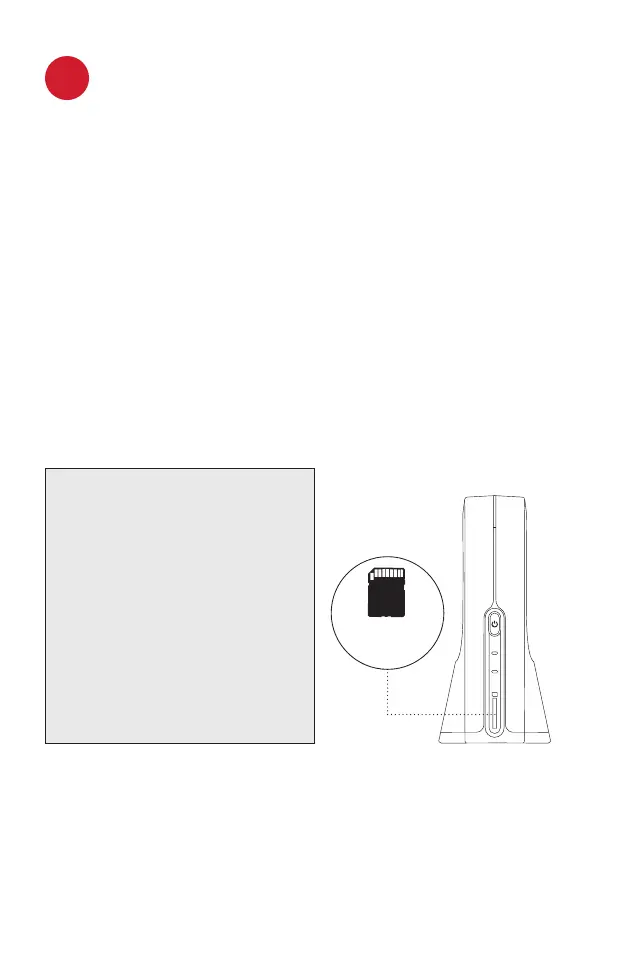
• For recording, SlingStudio requires a
UHS Speed Class 3 SD card, a USB-C
external hard drive (EHD) or solid-
state drive (SSD), or a USB 3.0 EHD
or SSD connected to the SlingStudio
USB-C Expander (sold separately).
Visit MySlingStudio.com/compatibility
to see if your device is supported.
• When using the SlingStudio Hub
without a power cord, the SlingStudio
Battery (sold separately) is required.
For more details, go to:
MySlingStudio.com/SlingStudio
3
Set Up Your Cameras
You can connect up to 10 camera sources simultaneously
and actively monitor, switch and record four of them. Here
are some examples:
• Camera, camcorder or drone via HDMI – Connect the
camera’s HDMI output to the standard HDMI input of
the SlingStudio Hub.
• iPhone or Android smartphone – Download the
SlingStudio Capture app on your smartphone and use it
to connect wirelessly to SlingStudio.
• Camera, camcorder or drone via Wi-Fi – Connect an
HDMI camera or camcorder to SlingStudio via Wi-Fi by
using the SlingStudio CameraLink (sold separately).
REC
SD
INTERNET
SD
SD card
slot location


 To Next Page
 Loading...