Product parameters
Product details
Panel control description
Product parameters
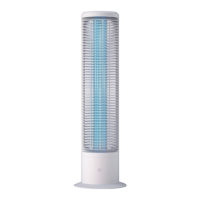
Product Name: Home Use UV Germicidal Lamp
Power: 36W / 60W
Input voltage: 110-230VAC
Color: Black / white
Product weight: 1800g
Product size: diameter 180 * 530mm
Scope of application: home use,
office, etc
Control operation mode:
touch the key
1
2
3
4
5
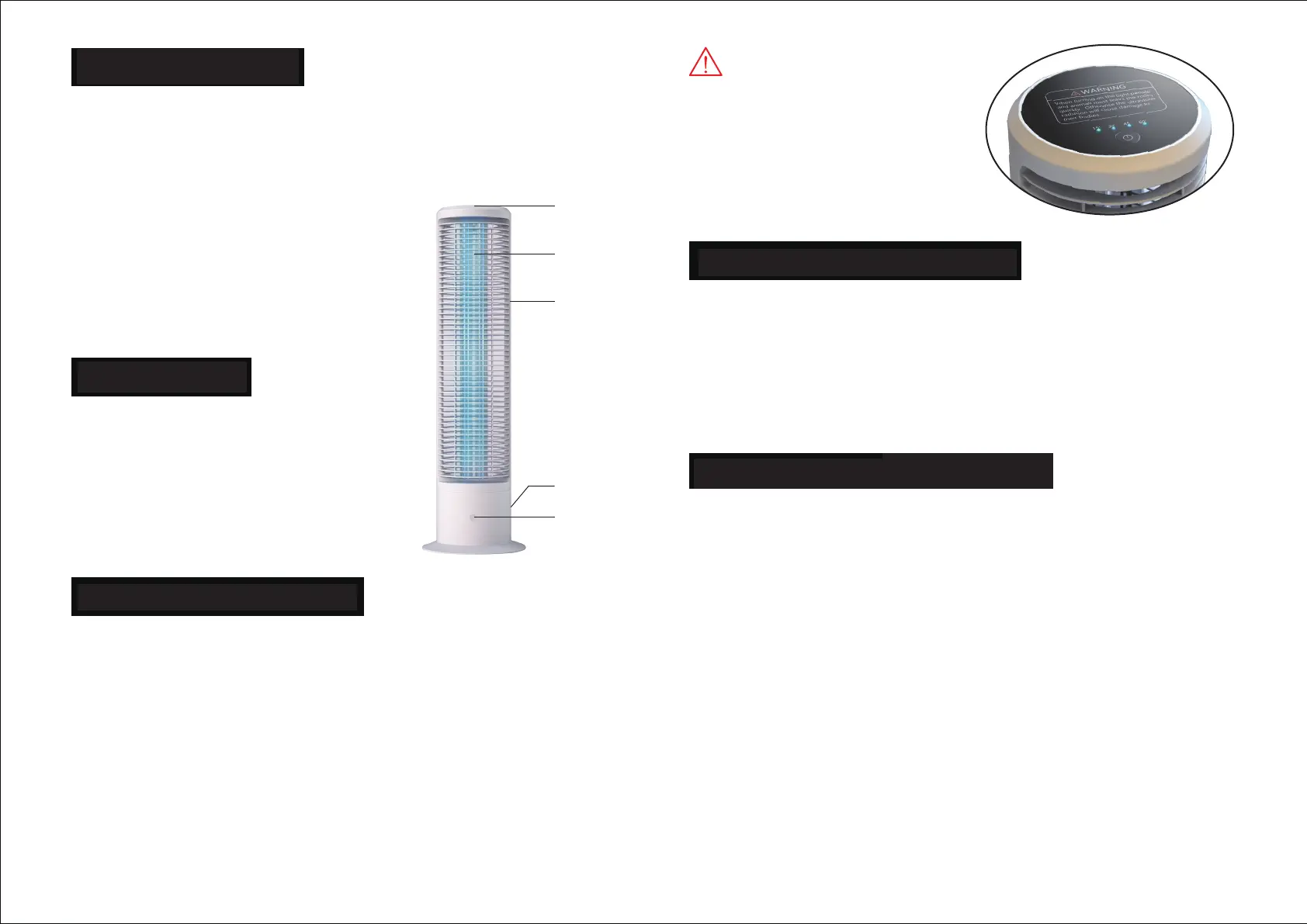
1、Operation control panel
and indicator light
2、Ultraviolet germicidal lamp
3、Lamp body
4、Human body sensor
5、Power input socket
After the AC power is connected, press and hold the button
for 3S to start the machine, and the germicidal lamp will
start to work. In order to avoid skin injury, the system will
delay for 10s to light the lamp. The default is 15min timing,
and the lamp will go out after the timing. During operation,
touch the key once, switch to 30min timing, switch to 45min
timing twice, switch to 60min timing three times, and return
to 15min timing four times, so as to cycle. Press and hold the
key for 3S to shut down.
Human induction Description
Matters needing attention
When the sterilizing lamp is in operation, when someone or
animals pass by, the sensor will detect it, and then turn off
the output, and the lamp will go out to protect the skin from
the damage of ultraviolet rays. After turning off, the system
will automatically turn on and light the lamp after a delay of
10s, and continue to work.
1. During use, children shall not touch the lamp body, direct
light on eyes and skin, and animals, plants and precious
painting materials shall not be present.
2. After opening, please close the doors and windows to
leave the room. The sterilization effect will be better. After
sterilization, please open the doors and windows for
ventilation before entering.
3. In case of malfunction or control failure of germicidal lamp,
it can be warranted within the warranty period without self
disassembly (except for damage caused by man-made
reasons or improper operation)
4. When not in use, please disconnect the power supply and
place it in a ventilated and dry environment to ensure the
normal use of the product.
WARNING
When turning on the light, people
and animals must leave the room
quickly. Otherwise the ultraviolet
radiation will cause damage to
their bodies.
Product Specications
The Apollo UV-C Disinfection Lamp
60 Watts
110 Volts
5-Meter Motion Sensor
Dual UV-C Emiting Bulbs
Protective Outer Casing
Customizable Timers
and Operational Indictor Lights
110V Wall Socket Plugin
Product Details
How To Use
When turning on the light, please
leave the room. You can not be in
the room during operation.
UV-C light is dangerous to people,
pets, and plants. Please use with care.
Saftey Feature Information
The Apollo is equipped with a 5-meter automatic shut o
motion detection sensor. This helps protect unexpected
visitors and pets. If they enter the room when The Apollo
is running, it will shut o to protect them from the UV-C light.
The Apollo turns back on after the visitor or pet leaves the room,
with a 10-second delay. The Apollo will then operate for the
remainder of the set sterilization time.
Best Practices & Saftey Protocols
1. Keep out of reach from children. During use, do not touch the lamp
body or have direct contact with the UV-C light on skin, animals, or plants.
Precious painting materials should not be present.
2. Before turning on The Apollo, please close all doors and windows.
After turning on The apollo please leave the room. Enclosing the room
helps the disinfection process. After sterilization, we recommend
ventilating the room by opening the doors and windows.
3. In case of a malfunction or control failure of The Apollo, or an
emergency shut o is needed - cover up with long sleeves and
cover the face and wear UV-C protective eyeglasses. Then enter
the room and unplug The Apollo. In the case of a malfunction
please reach out to the Smart UV team to go over your warranty.
4. When The Apollo is not in use, please disconnect the
power supply and place in a dry environment to ensure
the health of your product.
1.Press and hold the power button for 3 seconds to start it up
2. To turn o the Apollo hold the power button for 3 seconds
3. The default cycle duration is 15 minutes and does not need to be selected after the
power-up
4. To Select exposure time greater than 15 minutes (30/45/60 minutes) tap the power key
once to select a 30-minute cycle, twice for a 45-minute cycle, thrice for 60 minutes, and 4
times to revert to the 15-minute cycle
5. Once the desire duration is selected leave the room and shut the door. 10 seconds
timer will turn the lamp on automatically. The disinfection process will begin allowing
you enough time to leave the room.
6. Do not enter the room during the disinfection process.
7. Allow the lamp to cool down for 10 minutes after each disinfection is completed.


 To Next Page
 Loading...