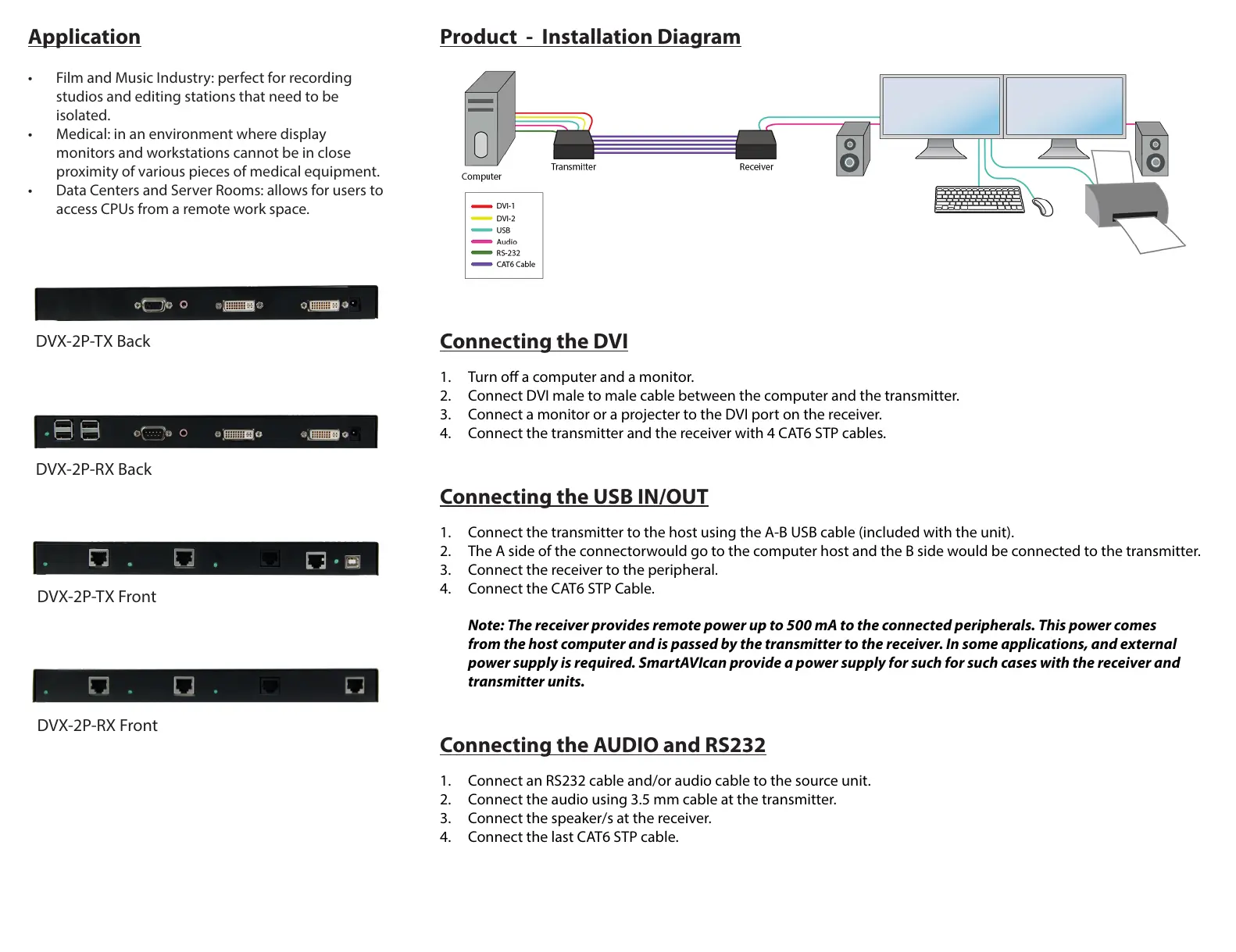
Product - Installation Diagram
Connecting the DVI
1. Turn o a computer and a monitor.
2. Connect DVI male to male cable between the computer and the transmitter.
3. Connect a monitor or a projecter to the DVI port on the receiver.
4. Connect the transmitter and the receiver with 4 CAT6 STP cables.
Connecting the USB IN/OUT
1. Connect the transmitter to the host using the A-B USB cable (included with the unit).
2. The A side of the connectorwould go to the computer host and the B side would be connected to the transmitter.
3. Connect the receiver to the peripheral.
4. Connect the CAT6 STP Cable.
Note: The receiver provides remote power up to 500 mA to the connected peripherals. This power comes
from the host computer and is passed by the transmitter to the receiver. In some applications, and external
power supply is required. SmartAVIcan provide a power supply for such for such cases with the receiver and
transmitter units.
Connecting the AUDIO and RS232
1. Connect an RS232 cable and/or audio cable to the source unit.
2. Connect the audio using 3.5 mm cable at the transmitter.
3. Connect the speaker/s at the receiver.
4. Connect the last CAT6 STP cable.
Application
• Film and Music Industry: perfect for recording
studios and editing stations that need to be
isolated.
• Medical: in an environment where display
monitors and workstations cannot be in close
proximity of various pieces of medical equipment.
• Data Centers and Server Rooms: allows for users to
access CPUs from a remote work space.
DVX-2P-TX Back
DVX-2P-RX Back
DVX-2P-TX Front
DVX-2P-RX Front


 To Previous Page
 Loading...