
 Need help?
Do you have a question about the Smartparts SPDPF84M and is the answer not in the manual?
Lists items included in the product packaging.
Instructions for connecting the digital picture frame to a power outlet and memory card.
Guide on connecting the frame to a computer for data transfer via USB.
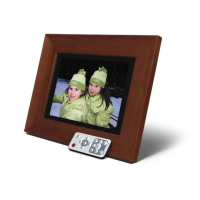
Details the buttons and functions of the remote control for media management.
How to play photo slideshows and control playback.
Instructions for playing MP3 audio files and controlling playback.
Playing slideshows synchronized with background music.
Steps to play movie clips and control playback.
How to display text files on the frame.
Functions for copying and deleting files between storage media.
Option to select the on-screen display language.
Settings for slideshow speed and picture transition styles.
Configuration for the initial screen displayed upon powering on.
Adjustments for video display properties like brightness and contrast.
Procedure to restore the frame to its factory default settings.
Information on where to find technical assistance and warranty details.
Regulatory statement regarding compliance with FCC rules for radio interference.
 General
| Display Size | 8 inches |
|---|---|
| Resolution | 800 x 600 pixels |
| Memory Card Support | SD, MMC, MS, xD |
| USB Port | Yes |
| Built-in Memory | 128MB |
| Aspect Ratio | 4:3 |
| Slideshow Function | Yes |
| Power Supply | AC Adapter |


 To Next Page