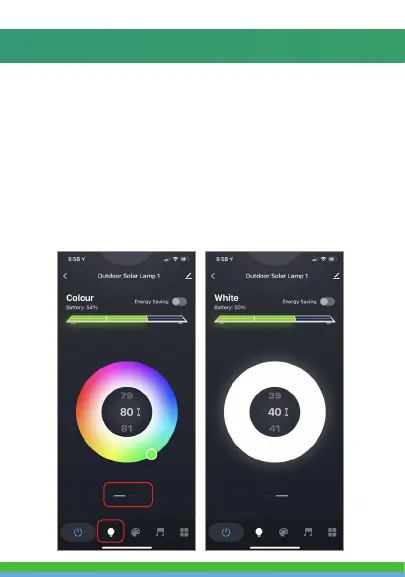
There are four modes for the Solar Light.
Color, White, Scene and Music modes.
Color mode lets you change the color and brightness of the
light. Swipe up or down to change brightness percentage.
White Mode makes the light white. Swipe up or down to
change brightness percentage.
(To select color modes you can select the Light Bulb icon at
the bottom. You can switch between color and white modes
by swiping left or right on the dashes below the color picker)
COLOR AND WHITE MODES



 To Next Page