-8-
7
J
I
A B
6a
2
1
L
CLICK!
6b
1
2
3
L1
L2
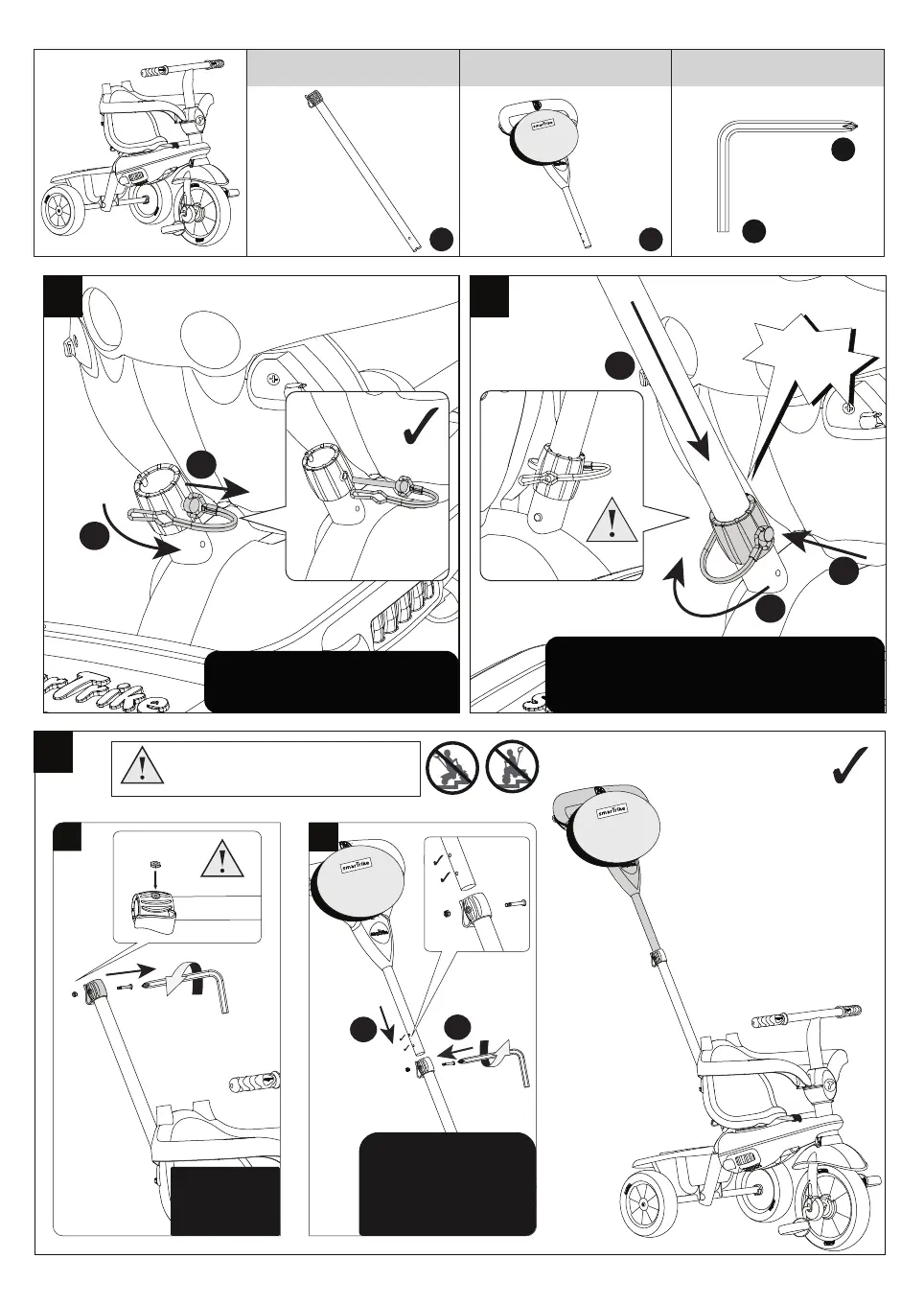
Remove the securing pin with
securing lock.
Insert the parent handle “I” into the retaining
hole on rear of trike. Insert the pin with
safety lock. Turn the pin until you hear a click.
WARNING: This product should be used on
safe ground, it should not be used near steps,
slopes, roadways, public highways or wet areas.
WARNING:
Nut must be
inserted
Step 1: Insert and align
parent handle (R+C) with
one of the side holes.
Step 2: use “L1”
to secure the screw.



 To Next Page