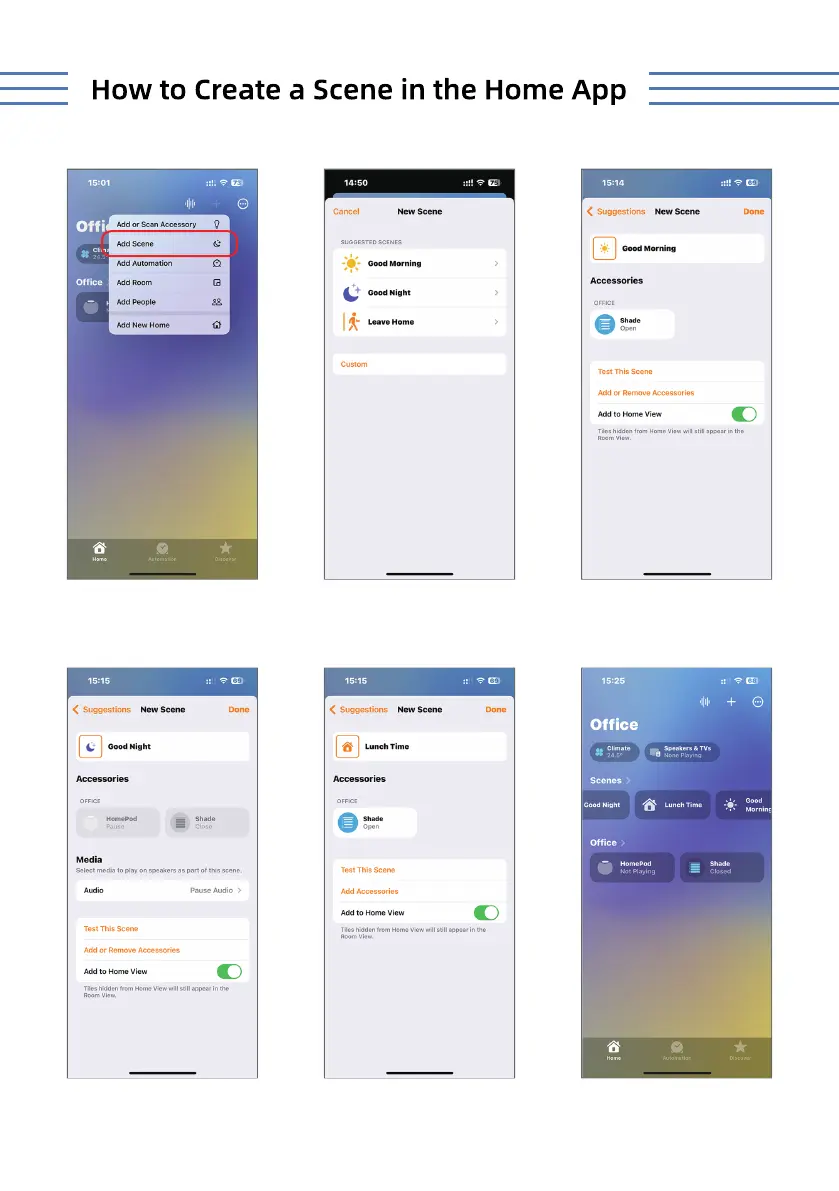
Click '+' and choose 'Add Scene'.
If you select the 'Good Night'
Scene, you can tap the icon at
night to close the shade.
Choose or customize a Scene.
If you select 'Custom',you can
create a customized scene for
your shade.
If you select the 'Good Morning'
Scene, you can tap the icon in
the morning to open the shade.
In the 'Home' screen, you can
control all individual shades and
scenes.
STEP 1 STEP 2 STEP 3
STEP 4 STEP 5 STEP 6
7



 To Next Page