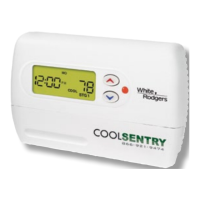
SMECO CoolSentry Programmable Thermostat Instructions
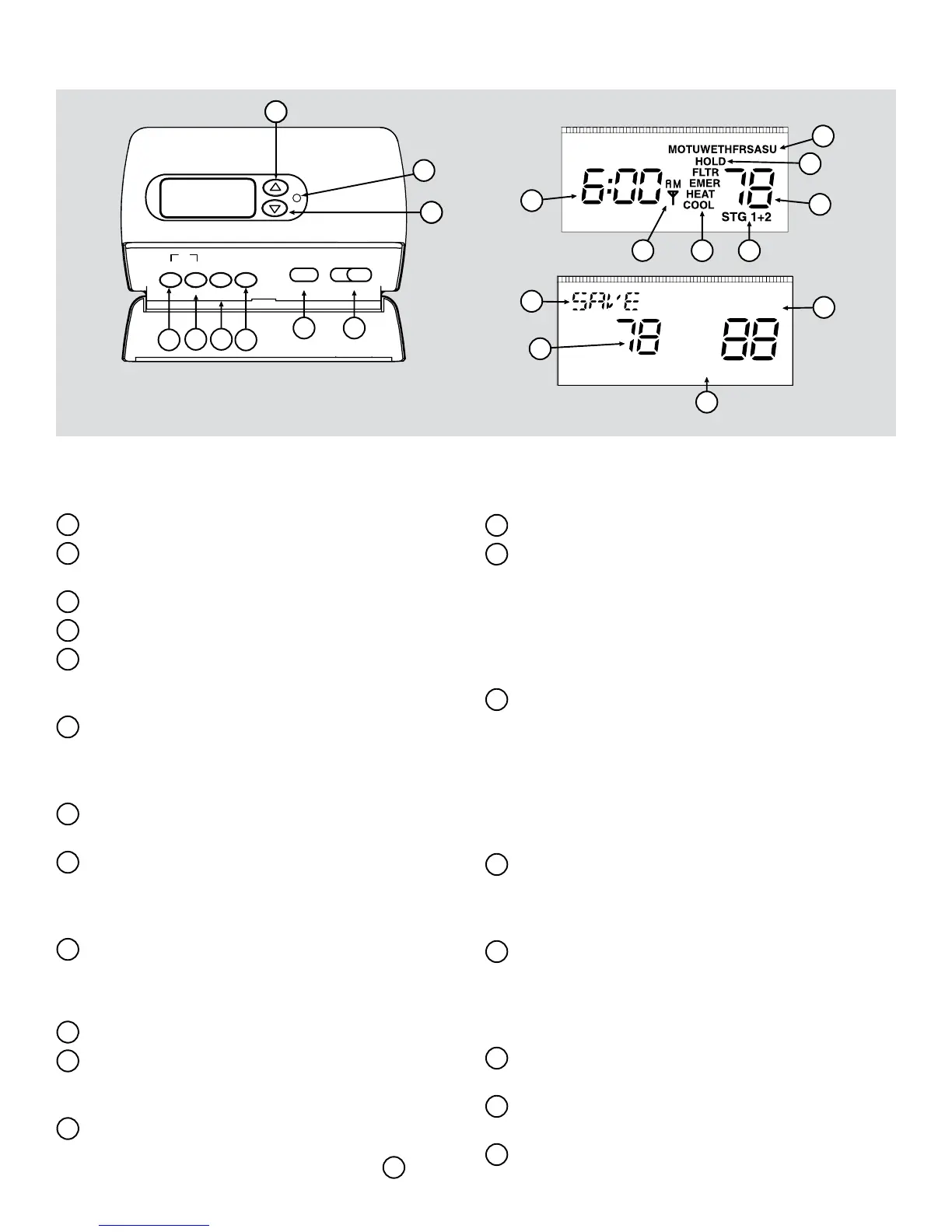
Getting to know your SMECO CoolSentry Programmable Thermostat
BATT
FAULT
2
1
3
4
7
5
6
8
9
10
11
13
16
19
15
14
12
17
20
18
INFO PRGM
SYSTEM
Programming Keys
The functions that appear below the buttons (SELECT, MODE) become
active when you press PRGM to enter programming mode. Otherwise,
these keys perform their alternate functions, which appear above the keys.
FAN
ONMODE AUTO
HOLD
TIER SELECT
Fltr
RUN
The thermostat buttons and switches
1
Raises the temperature setting.
2
Lights to indicate that a curtailment event is
occurring or will occur soon.
3
Lowers the temperature setting.
4
RUN button – Runs your heating or cooling program.
5 HOLD / TIER button – In normal mode, sets a
temperature hold. (Note: TIER functionality is not
currently used.)
6
INFO / SELECT button – In normal mode, displays
the information screen (if available). In programming
mode, switches between temperature setpoint and
period start time.
7
PRGM button – Enters thermostat programming
mode.
8
SYSTEM / MODE button – During normal operation,
selects the system mode. (See #15 for description
of system modes.) In programming mode, switches
between heating and cooling programs.
9
FAN switch - ON means fan is always on. AUTO
means fan runs when the compressor or furnace runs.
The display
10
Indicates day of the week.
11
Indicates a system hold is in effect. Flashing HOLD
indicates a temporary hold. Solid (not ashing)
HOLD indicates a permanent hold.
12
Displays the current time. Press up or down arrow
button once, or RUN button, to display the current
temperature setpoint, as shown above in
20
.
13
Displays the current room temperature.
14
Solid (not ashing) antenna icon indicates the
system is in recovery from a curtailment event.
Icon disappears when the programmed temperature
is reached. Flashing antenna icon indicates remote
communication to the thermostat, such as web
programming, has occurred. Press any key to
turn off the display.
15
Indicates current system mode: HEAT for heat
mode, COOL for cool mode, HEAT and COOL for
auto-changeover mode, or EMER for emergency
heat mode. (Note: EMER is available only if you
have a heat pump system.) Displays FLTR (in ad-
dition to the mode) as a reminder when the system
lter needs to be changed. Press RUN and HOLD
together to turn off the FLTR reminder.
16
Displays STG 1 when the rst stage of heat or cool is
running. Displays STG 1+2 when the rst and second
stage of heat or cool is running. (Note: +2 does not
display for single stage systems.)
17
Displays current period of the day (MOR, DAY,
EVE or NHT). Alternates with SAVE during
curtailment events and AUX if your auxiliary heat
is turned on. (Note: AUX applies to heat pump
systems only.)
18
Indicates a communications failure. Does not
indicate a problem with the thermostat.
19
Displays BATT when the 2 AA batteries are low
and should be replaced.
20
Indicates the current temperature setpoint.


 To Next Page
 Loading...