This document describes a microwave oven, focusing on its functions, usage, and some maintenance aspects.
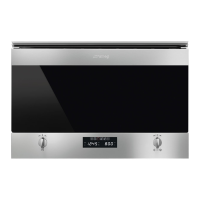
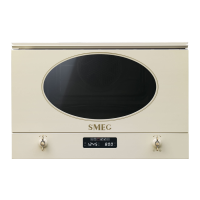
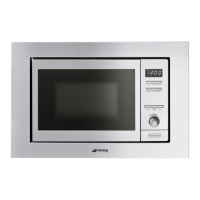
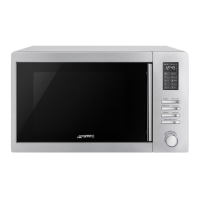
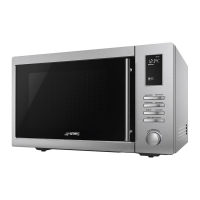
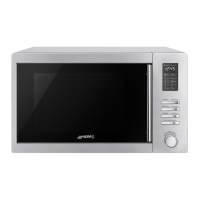
The microwave oven features a sleek design with a drop-down grill and a ceramic base. The control panel, located at the bottom, is intuitive and user-friendly, featuring two main knobs and several displays. The door opens by briefly pressing the Function's parameters knob (PT1).
Control Panel Overview:
The control panel consists of two main knobs:
- Function's parameters knob (PT1): This knob is multi-functional. It allows you to open the door, set the current time, select cooking temperature, set cooking duration, and program cooking start and end times. A brief press on PT1 also opens the door.
- Function-switch on knob (PT2): This knob is used to switch the microwave on and off, and to select various cooking functions.
There are also three displays:
- Current time / Duration display (DSP1): Shows the current time or the cooking duration. It also indicates when the child safety lock-out function is active.
- Microwaves power / Weight display (DSP2): Displays parameters set for the required function, or parameters set by the user, such as microwave power or weight for defrosting.
- Function display (DSP3): Illuminates to show all available cooking functions for selection.
First Use and Initial Setup:
Before the first use, it is essential to remove all protective films, labels (except the rating plate), and wash all accessories. The empty oven should then be heated at maximum temperature using traditional functions to remove any manufacturing residues. It's important to use a traditional function for this initial heating, not a microwave function.
Setting the Time:
Upon first use or after a power failure, the display will flash "00:00". To enable any cooking function, the current time must be set.
- Press PT1 for 3 seconds.
- Turn PT1 left or right to adjust the hours.
- Press PT1 once to move to minutes.
- Turn PT1 left or right to adjust the minutes, then press PT1 to set the time.
- A clock symbol will appear and stop flashing.
- Press PT1 again, and the minutes will flash. Turn PT1 left or right to set the minutes.
- Press PT to finalize the time setting.
The heating system is not activated during this process, enhancing operator safety. The time cannot be changed if the oven is ON.
Operating Modes:
The microwave offers three operating modes:
- Stand-by: Activated once the current time is confirmed, with DSP1 showing the current time.
- ON: From stand-by, press PT2 once. All displays and knobs will light up.
- OFF: From the ON setting, press PT2 once. Only the clock symbol on DSP1 remains.
Selecting a Function:
In the ON state, a cooking function can be selected by turning PT2 left or right. The selected function will illuminate in orange on DSP3. DSP1 will show the preset cooking time, while DSP2 will alternate between preset parameters like temperature, microwave power, or weight.
Cooking Functions:
-
Microwave:
Microwaves penetrate food directly, allowing for rapid cooking and significant energy savings. This function is ideal for cooking without fat, defrosting, and reheating, while preserving the food's original appearance and fragrance.
- Select the function, then turn PT1 left or right to change the preset cooking duration.
- Press PT1 for 3 seconds to validate; the microwave power light will blink.
- Turn PT1 left or right to adjust the microwave power.
- Press PT2 to start cooking immediately, or press PT1 for 3 seconds to set a delayed start time.
If the door is opened during cooking, the process stops. Close the door and press the START key (PT2) to resume.
-
Microwave + Grill (Combination Cooking):
This function combines traditional grilling with microwave operation. The grill provides perfect browning for the food's surface, while the microwave ensures rapid internal cooking.
- Select the function, then turn PT1 left or right to change the preset cooking duration.
- Press PT1 for 3 seconds to validate; the microwave power light will blink.
- Turn PT1 left or right to adjust the microwave power.
- Press PT2 to start cooking immediately, or press PT1 for 3 seconds to set a delayed start time.
Important: Do not use combined functions to heat or boil liquids, as this poses a risk of damage to the appliance.
-
Grill (Traditional Cooking):
The grill element provides excellent grilling results, especially for thin and medium-thickness meats, ensuring even browning. It's perfect for sausages, spare ribs, and bacon, and can handle large quantities of food.
- Select the function, then turn PT1 left or right to change the preset cooking duration.
- Press PT2 to start cooking immediately, or press PT1 to set a delayed start time.
Special Functions and Automatic Programs:
-
Defrosting by Weight (Automatic):
This function automatically defrosts food based on its weight and type.
- Select the function, then turn PT1 left or right to choose the food type displayed on DSP1.
- Press PT1 for 3 seconds to validate; the weight light will blink.
- Turn PT1 left or right to adjust the food weight.
- Press PT2 to start defrosting.
The defrosting time and microwave power are automatically adjusted for optimal thawing. For best results, the dish inside the oven may need to be turned. The manual provides a table with programs, weight ranges, defrosting times, and recommended resting times for various food types (meat, poultry, fish, fruit, bread) to ensure uniform temperature.
-
Pizza Function:
This function is designed for cooking handmade and frozen pizzas up to 26 cm in diameter, weighing approximately 350g, and at a temperature above 5°C.
- Turn PT2 left or right to select the Pizza Function.
- The Pizza Function indicator will highlight, and DSP2 will show a preset time of 7 minutes.
For satisfactory results with frozen pizzas, allow them to thaw and reach at least 5°C before cooking.
-
Defrosting by Time (Manual):
This function allows manual defrosting based on a selected time period.
- Select the function, then turn PT1 left or right to change the preset defrosting duration.
- Press PT2 to start defrosting.
The microwave power is automatically varied for best thawing. If the selected defrost duration exceeds 5 minutes, the dish inside the oven compartment will need to be turned for optimal results.
When the Oven is Working:
-
Interrupting a Cooking Cycle:
Cooking can be stopped at any time by pressing the Start/Stop key (PT2) once or by opening the oven door. In both cases:
- Microwave emission stops immediately.
- The grill de-activates but remains very hot (danger of burning).
- The timer stops, and the display shows the remaining operating time.
At this point, you can turn or stir the food for even cooking, modify process parameters, or cancel the process by pressing PT2 for 3 seconds. To restart, close the door and press PT2.
-
Modifying Parameters:
Operating parameters (time, weight, power) can only be modified when the cooking process is interrupted.
- Press PT1 for approximately 5-6 seconds to activate parameter modification mode. The clock symbol will blink.
- Turn PT1 left or right to change the remaining cooking duration.
- Press PT1 for 3 seconds to validate; the next parameter light will blink. Follow the active function chapter to modify remaining parameters.
- Press PT2 to continue cooking.
-
Cancelling a Cooking Cycle:
- Press PT2 for 3 seconds.
- A beep will sound, and the oven will return to the OFF setting.
-
End of a Cooking Cycle:
At the end of the process, three beeps will sound, and the display will show "End". The beeps repeat every 30 seconds until the door is opened or PT2 is pressed. The oven then returns to the OFF setting.
The appliance has a hidden "secondary menu" for advanced settings:
- Show Room Function (for exhibitors only): Activates or deactivates the Show Room function, which disables all heating elements, allowing only the control panel to operate.
- In OFF status, press PT1 for 5-6 seconds until "OFF SHO" appears on DSP1.
- Turn PT1 left or right to activate (ON SHO) or deactivate (OFF SHO). For normal oven use, set to OFF SHO.
- Press PT2 to return to standby status.
- Maximum Power Absorption Limit: Activates or deactivates a function that limits maximum power absorption to 2000 W.
- Child Safety Lock-out Function: Activates or deactivates the child safety device (key symbol).
- In OFF status, press PT1 until "OFF SHO" appears on DSP1, then press PT1 again until "OFF BLOC" appears on DSP1.
- Turn PT1 left or right to activate (ON BLOC) or deactivate (OFF BLOC). When active, all functions and knobs are locked out after 3 minutes of inactivity, and the key symbol appears on DSP2.
- Press PT2 to return to standby status.
- To temporarily exit lockout, press PT1 until the key symbol disappears from DSP2. Changes can be made, but the lockout will re-engage after 2 minutes of inactivity.
- To permanently deactivate, access the secondary menu and switch the function off.
Cooling Fan System:
The appliance includes a cooling system that activates when a cooking function starts. This generates a normal airflow above the door and may continue for a short time after the oven is switched off.
Inside Light:
The oven light turns on when the oven door is opened in standby status or when the function knob (PT2) is turned to any function. If the door remains open, the light automatically shuts off after 10 minutes.

 Need help?
 General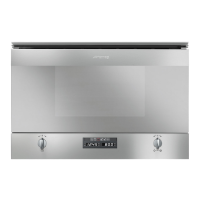

 To Next Page