Description
64
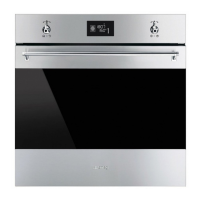
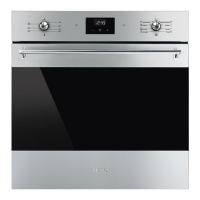
1 Time/Temperature knob
This knob allows you to select the cooking
time and temperature, set programmed
cooking and the current time as well as turn
the light inside the oven on and off.
2 Display
Displays the current time, the selected
cooking temperature and function and any
time set.
3 Function knob
This knob allows you to turn the appliance
on and off and select the cooking function.
2.3 Other parts
Shelves
The appliance features shelves to position
trays and racks at different heights. The
insertion heights are indicated from the
bottom upwards (see 2.1 General
Description).
Cooling fan
The fan cools the appliance and comes into
operation during cooking.
The fan causes a steady outflow of air from
above the door which may continue for a
brief period of time even after the appliance
has been turned off.
Interior lighting
The appliance’s interior lighting comes on:
• When the door is opened.
• When any function is selected, apart
from the ECO + and Vapor
Clean functions (Multifunction
models), Pyrolytic and ECO
Pyrolytic functions (Pyrolytic
models).
• When the time/temperature knob is
briefly turned to the right (manual
activation and deactivation).
When the door is open, it is not
possible to turn off the interior
lighting.


 To Next Page
 Loading...