86 - USE 91477A627/C
Control lock (children safety)
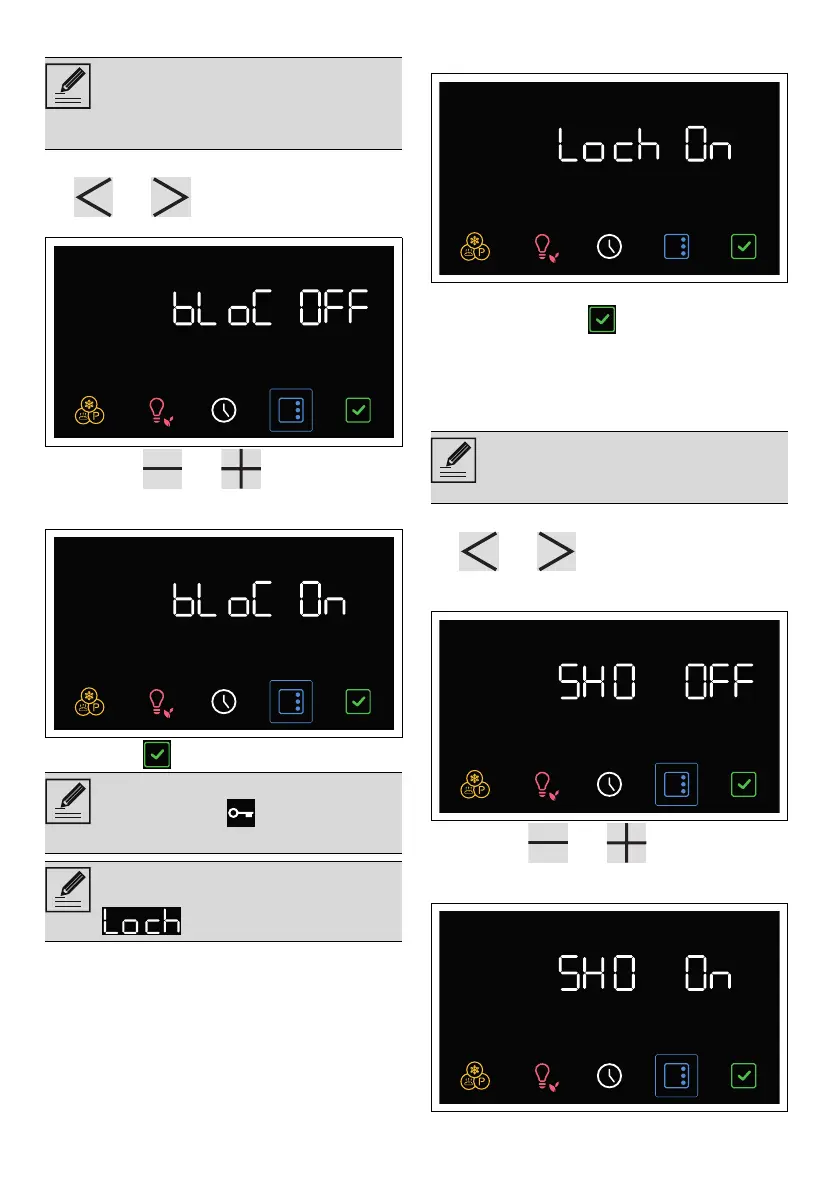
1. After entering the setting menu, press the
and touch buttons on the control
panel until the KeyLock function is selected.
2. Press the and touch buttons on
the control panel to start the KeyLock
function.
3. Press the button to confirm.
To temporarily release the lock:
1. during a cooking process, press a button on
the display.
2. When the display shows the "Lock On"
screen, press the button for a few
seconds.
Two minutes after the last setting the lock will
become active again.
Showroom (for showrooms only)
1. After entering the setting menu, press the
and touch buttons on the control
panel until the Showroom function is
selected.
2. Press the and touch buttons on
the control panel to start the Showroom
function.
This mode allows the appliance to lock
the controls automatically after 2
minutes of normal operation without any
intervention from the user.
In normal operation, the control lock is
indicated by the indicator light
coming on.
Touching the display or control panel
buttons, the display will show
for two seconds.
This mode allows the appliance to
deactivate all heating elements, while
keeping the control panel active.



 To Next Page