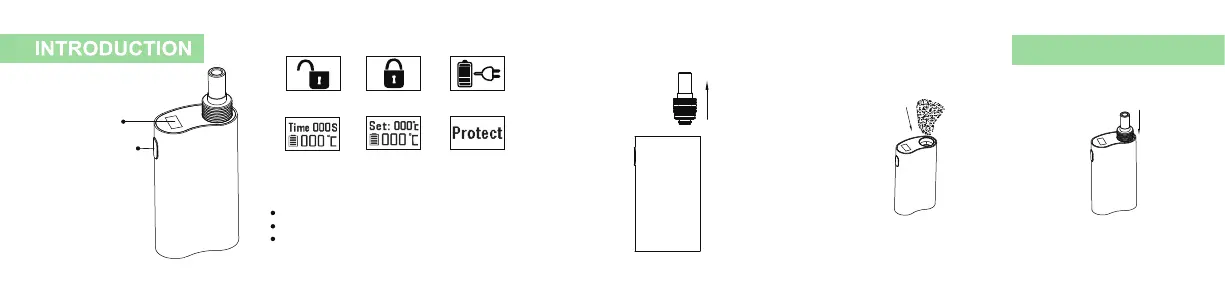
OLED display
Function Button
OLED Digital Screen Instruction:
Turn On Turn Off Charging
Auto Shut Off
Count-down
Temperature
Setting
Error Occurred
How to operate :
Press the function button 5 times to turn ON/OFF.
8 grades of temperature settings, from 160°C to 230°C.
Hold the function button to increase/decrease the temperature
setting. It's 10°C difference for each grade, cycle from low to high.
FOR DRY HERB
1. Pull out the mouthpiece 2. Load herbs loosely 3.Insert mouthpiece back



 To Next Page