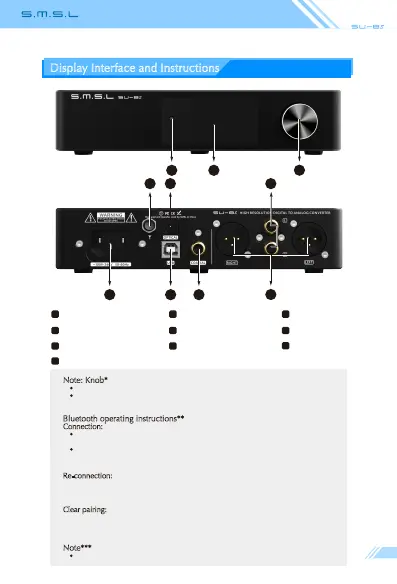
Display Interface and Instructions
Note: Knob*
Konb: Volume/Menu up or down
Button: Press to Menu/Enter
Hold to Return or Power ON/OFF
Bluetooth operating instructions**
Connection:
Step 1: Switch the input source in the SETTING MENU or press the Bluetooth
button of the remote;
Step 2: Turn on the Bluetooth function of the mobile phone, search for
"SMSL BT5.0", and tap to pairing. When the mobile phone displays
"connected", it has been successfully connected.
Re-connection:
When you had lost the connection with the SU-8s, for example,going out, and
back home, some phones will not re-connect the SU-8s if the SU-8s has not
been re-boot, so you can press the Bluetooth button on the remote to Re-connect.
C
lear pairing: Long press the "Bluetooth" button on the remote control. After clearing
the pairing, some phones may no longer be able to search for "SMSL BT5.0". In
this case, you need to delete the Bluetooth device "SMSL BT5.0" which saved in
the phone, and then search and pairing again.
Note***
When using this product, please use RCA wire with shield.
Optical input RCA output
5
6
Coaxial input
9
7
Balanced output
8
Knob* Remote windowDisplay
Bluetooth antenna**
1 2 3
4
USB input
AC IN
10
4 5 6
9
7
810
23
1



 To Next Page