Need help?
Do you have a question about the Snakebyte PRO X and is the answer not in the manual?
Connects the USB Type-C cable to the gamepad's port.
Connects the USB Type-A end of the cable to the console's USB port.
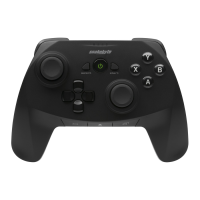
Press the guide button to turn the gamepad on.
Set the Right Trigger (RT) stop to 2mm or 8mm for customized travel distance.
Set the Left Trigger (LT) stop to 8mm or 2mm for customized travel distance.
Assign custom functions to A, B, X, Y, RB, LB, RT, LT using the Command Slide feature.
Plug your headset into the 3.5mm audio jack on the gamepad.
Press the mode switch button to change between different gamepad operating modes.
In blue mode, use buttons for volume up, volume down, and microphone mute.
In orange mode, buttons control game/chat mix and microphone mute.
 General
| Brand | Snakebyte |
|---|---|
| Model | PRO X |
| Category | Video Game Controller |
| Language | English |


 To Next Page